Master Webflow with practical tips to enhance your NoCode website development skills in 2025. Start creating stunning websites today. Read the article for expert advice!
Webflow is revolutionizing web development by enabling designers and entrepreneurs to create professional websites without writing code. This comprehensive guide explores everything you need to know about this powerful NoCode platform.
Introduction to Webflow NoCode Platform
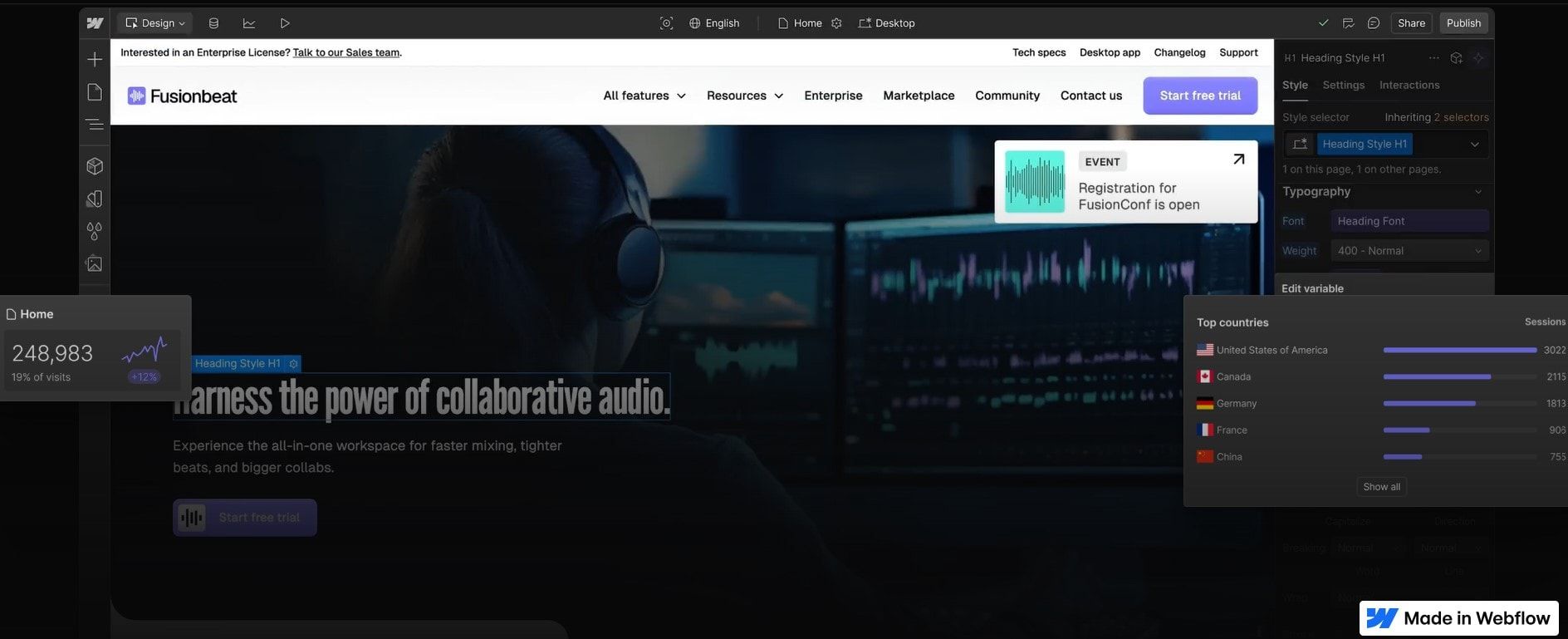
Webflow stands as an example of a pioneering NoCode platform that transforms how professionals create websites. By combining visual development with professional-grade features, it enables users to build sophisticated web experiences without writing code.
Webflow’s diverse user base spans various industries, utilizing its capabilities in unique ways. Design agencies deliver high-end projects, while freelancers streamline workflows. E-commerce businesses create compelling shopping experiences, and marketing teams deploy landing pages rapidly. Startups benefit from scalability, and content creators use its CMS. Large enterprises and educational institutions leverage Webflow for quick, cost-effective web solutions. Webflow's versatility makes it accessible and suitable for most jobs, from design agencies to large enterprises, ensuring that professionals across various fields can leverage its capabilities.
Key Features of Webflow
Webflow stands out in the NoCode development landscape by offering a comprehensive suite of features that cater to both designers and business owners, helping users develop essential computer skills. Its powerful capabilities combine the flexibility of custom coding with the ease of visual development, making it a versatile platform for creating sophisticated web experiences.
Visual Development Interface
Drag-and-drop website builder with pixel-perfect control
Real-time preview of your design changes
Responsive breakpoint editing for all device sizes
Custom animations and interactions without coding
Using Webflow’s visual development interface can also improve communication and leadership skills by enabling better communication, collaboration and presentation of ideas. Using Webflow’s visual development interface can also enhance customer service skills by improving communication and collaboration with clients.
Professional-Grade CMS
Dynamic content management system
Custom content types and fields
Multi-language support
Advanced filtering and sorting capabilities
E-commerce Capabilities
Built-in shopping cart and checkout
Product variant management
Custom shipping rules
Tax automation
Integration with popular payment gateways
SEO Tools
Custom meta tags and descriptions
Automated sitemap generation
Clean URL structures
Built-in 301 redirects
Advanced SEO settings per page
Drag-and-Drop Interface
One of Webflow’s standout features is its intuitive drag-and-drop interface, which allows users to design and build websites without needing extensive technical skills. This user-friendly feature is perfect for individuals who may not be familiar with coding or web development. By simply dragging and dropping elements like text, images, and videos onto a canvas, users can create visually appealing designs with ease. This functionality is not only prevalent in website builders but also in email marketing platforms and other digital tools, making it accessible for a wide range of users.
Responsive Design
In today’s digital landscape, responsive design plays a critical role in ensuring websites and applications are accessible and user-friendly across various devices and screen sizes. Webflow excels in this area by allowing users to create designs that automatically adapt to the user’s device, whether it’s a desktop, tablet, or mobile phone. This feature is essential for businesses and individuals aiming to reach a broader audience and provide a seamless user experience. By incorporating responsive design into your projects, you can ensure that your websites and applications are accessible to everyone, regardless of their device.
Customizable Templates and Themes
Webflow offers a variety of customizable templates and themes, which are essential for businesses and individuals looking to create a unique and professional online presence. These templates provide a starting point with pre-designed layouts that can be easily customized to fit your brand and style. This feature is particularly beneficial for users who may not have extensive technical skills but still want to create a professional-looking design. By leveraging customizable templates and themes, you can achieve a polished and unique website without needing to know how to code.
Key Benefits of Webflow
Webflow is a transformative platform in web development, merging the flexibility of hand-coded websites with NoCode accessibility. It empowers users to create professional-grade websites without extensive technical skills, offering unmatched design freedom and quality. By eliminating the need for traditional coding, it democratizes web development, making it accessible to a broader audience. Its comprehensive feature set significantly enhances the web creation and maintenance process. By using Webflow, users can develop some of the best skills needed in the modern job market, including both hard skills and soft skills.
Visual Development Without Compromise
Unlike traditional website builders, Webflow offers complete design freedom while generating clean, production-ready code. Users can create custom layouts, animations, and interactions through an intuitive visual interface, maintaining professional standards of quality without technical limitations.
Professional-Grade Features
Clean, semantic HTML output
Optimized CSS and JavaScript
Fast loading speeds
Enterprise-grade hosting
Automatic backups and version control
Time and Cost Efficiency
Webflow significantly reduces development time and costs by:
Eliminating the need for separate developers
Enabling rapid prototyping and iterations
Providing immediate publishing capabilities
Streamlining maintenance processes
No Coding Required
One of the most appealing aspects of Webflow is that it requires no coding to create stunning websites and applications. This feature is becoming increasingly popular as more people seek to establish an online presence without needing extensive technical skills. With Webflow’s visual development tools, users can focus on creating content and designing their website, rather than worrying about the technical aspects. This is particularly advantageous for small businesses and individuals who want to build their online presence quickly and efficiently.
Fast and Efficient Design and Development Process
Webflow’s tools enable a fast and efficient design and development process, which is critical for businesses and individuals looking to create websites or applications quickly and effectively. With the right tools and skills, users can develop a website or application in a matter of hours, rather than days or weeks. This is particularly useful for those who need to launch a new product or service quickly or make changes to an existing website. By utilizing Webflow’s efficient design and development process, users can save time and resources, allowing them to focus on other important aspects of their business.
Types of Projects Suitable for Webflow
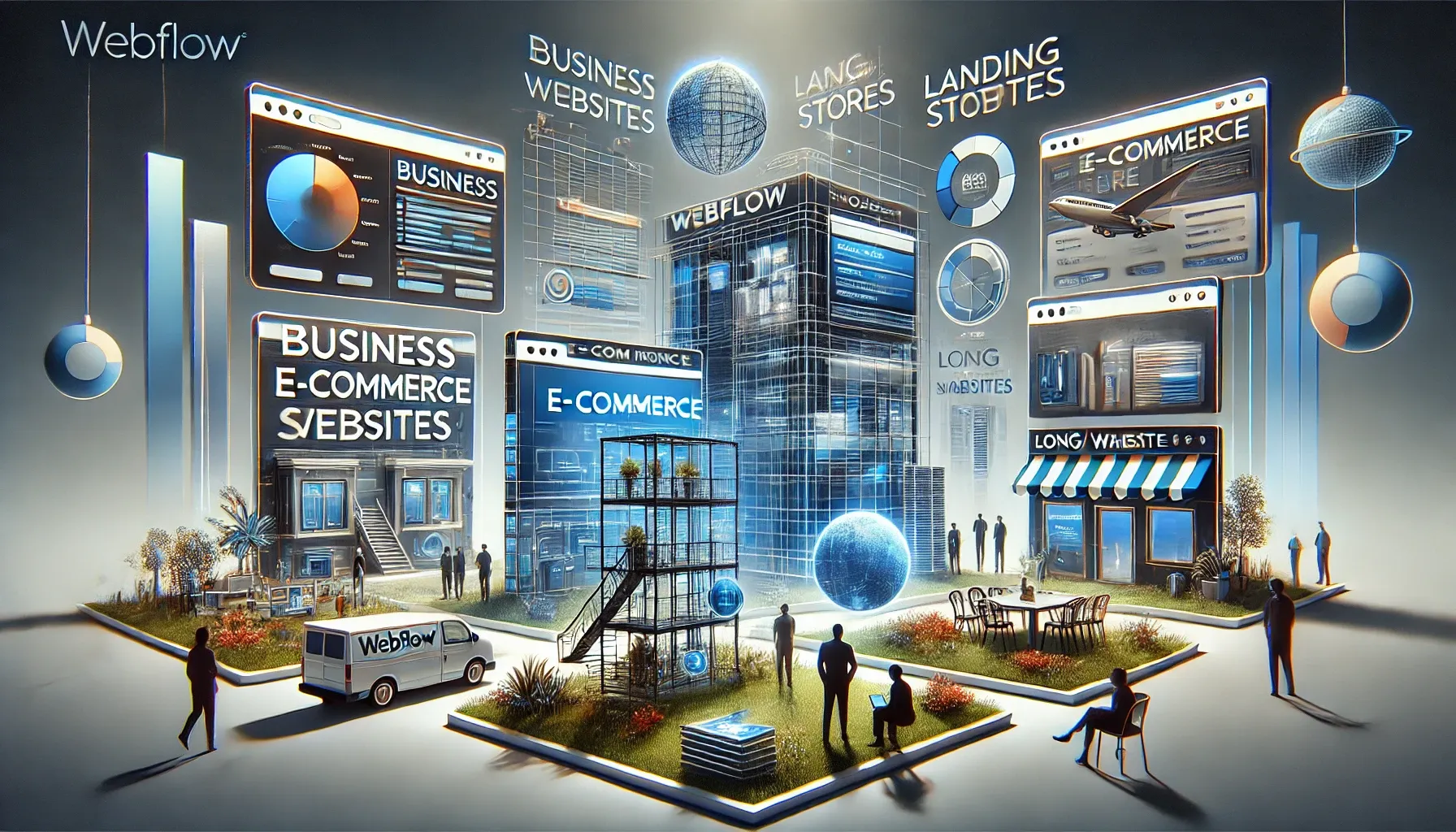
Business Websites
Perfect for companies looking to establish a professional online presence with:
Custom branding
Multiple page layouts
Team member portfolios
Contact forms
Integration with business tools
E-commerce Stores
Ideal for online retailers requiring:
Product catalogs
Secure checkout
Inventory management
Customer accounts
Order tracking
Landing Pages
Excellent candidate for marketing campaigns featuring:
A/B testing capabilities
Lead capture forms
Custom animations
Integration with marketing tools
Performance analytics
Blogs and Content Websites
Great for content creators needing:
Dynamic content management
Category organization
Author profiles
Comment systems
Content scheduling
Pricing and Plans
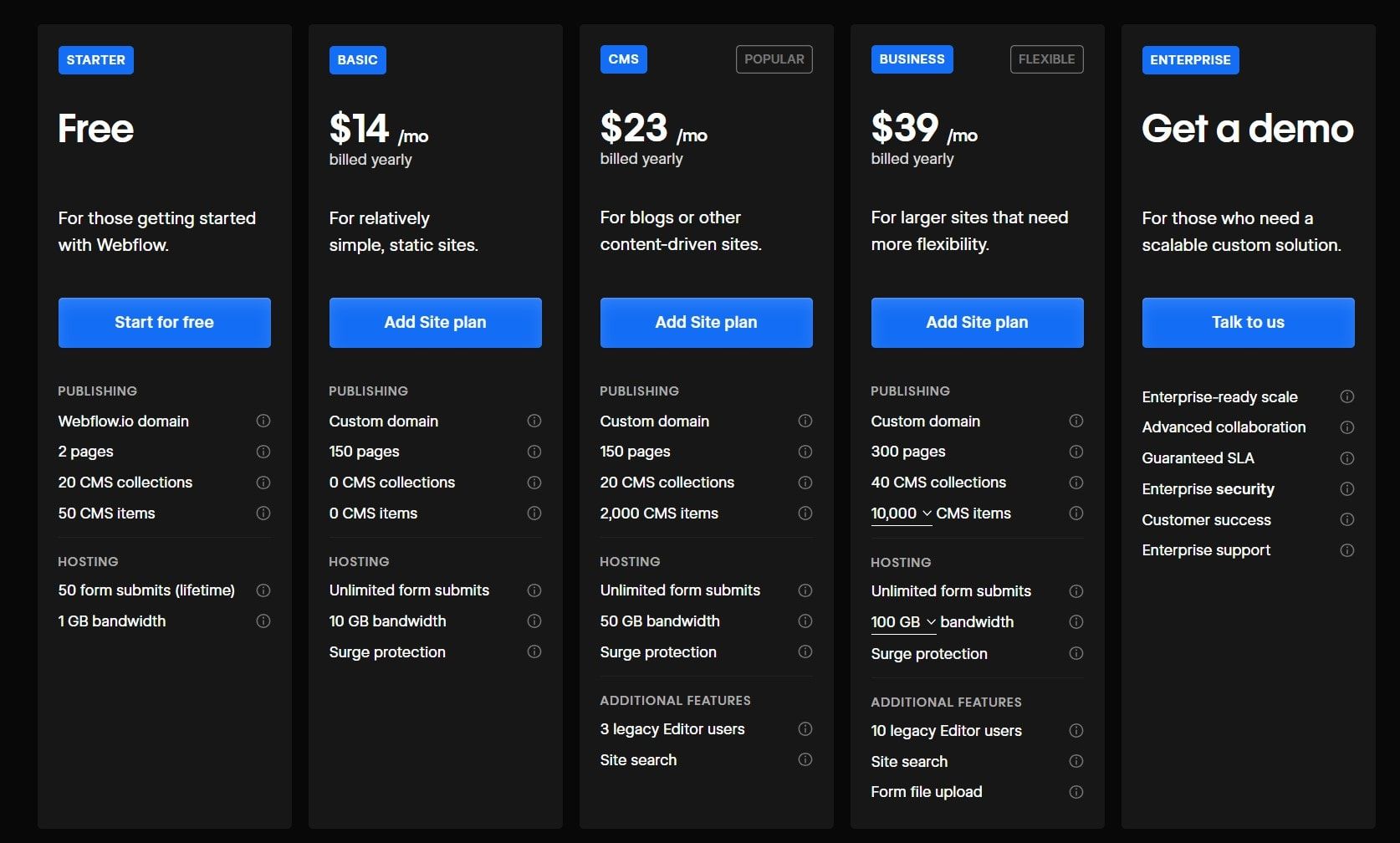
Understanding Webflow's pricing structure is crucial for choosing the right plan for your project. The platform offers a range of options designed to accommodate different needs and budgets, from individual designers to large e-commerce operations.
Webflow offers three main pricing tiers to suit different needs: a Free Plan for exploration and learning, Site Plans starting at $12/month for professional websites, and E-commerce Plans from $29/month for online stores. Each tier builds upon the previous one, allowing users the ability to scale their websites as their needs grow, from basic design tools to full e-commerce capabilities.
Getting Started with Webflow: A Step by Step Guide
Beginning your journey with Webflow requires some knowledge and a structured approach to maximize the platform’s potential. This section provides a step by step guide to getting started with Webflow. Whether you’re a designer, entrepreneur, or business owner, understanding the right steps, practices and resources will help you create professional websites more efficiently.
Having administrative skills can also help in managing your Webflow and software projects efficiently.
Learning Resources
Webflow University serves as the primary educational hub for new users, offering comprehensive tutorials that cover everything from basics to advanced techniques. The platform's active community forums provide valuable peer support and problem-solving discussions. For those seeking official guidance, Webflow's documentation (video courses, template marketplace and more) offers detailed and relevant technical information and best practices.
Best Practices
Achieving success in Webflow development requires strategic planning and execution. Identifying and developing relevant skills is crucial for achieving success in Webflow development. Follow these streamlined best practices for robust, scalable websites:
Plan Website Structure: Map out content hierarchy and user flows before design.
Responsive Design Focus: Ensure adaptability across all devices from the start.
Use Webflow’s Components: Utilize symbols and classes for consistent design.
Implement SEO Early: Use proper headings, meta descriptions, and clean URLs.
Test on Multiple Devices: Identify issues early for a consistent user experience.
Alternatives to Webflow: A Competitive Landscape Analysis
In the diverse NoCode/LowCode ecosystem, while Webflow remains a powerful solution for visual web development, several notable no-code and low-code alternatives offer unique features that might better align with specific project needs.
Bubble.io excels in complex web applications with robust backend functionality, making it ideal for SaaS and data-driven applications. Enterprise solutions like OutSystems and Mendix offer advanced features for professional developers and IT teams, focusing on large-scale business applications. For visual development, Framer and Softr provide specialized solutions - Framer for interactive prototypes and Softr for Airtable-based applications. In the mobile space, FlutterFlow and Adalo fill the gap with native mobile app development capabilities.
The choice among these platforms ultimately depends on specific project requirements, technical needs, expertise, and business goals. Each platform serves different aspects of the NoCode development spectrum, from web design to complex application development tasks.
Are you intrigued by Webflow and eager to explore other NoCode and LowCode tools available in the market? Dive into our comprehensive articles and research that compare these innovative platforms in 2025, guiding you in selecting the most suitable tool for your specific needs:
While Webflow has a learning curve, its extensive educational resources and visual interface make it accessible to beginners willing to invest time and money in learning.
Yes, Webflow's enterprise-grade hosting infrastructure can handle millions of monthly visitors with 99.99% uptime.
Webflow provides robust security features, including SSL certificates, automatic backups, and secure hosting environments, ensuring that your website remains protected from potential threats. Their infrastructure is designed to meet high-security standards, making it a reliable choice for businesses concerned about online security.
Webflow offers more design freedom and better performance out of the box, while WordPress has access to a larger plugin ecosystem. Webflow is often preferred for custom designs and better security.
Yes, you can export your site's code for hosting elsewhere, though some features like the CMS won't work outside Webflow's ecosystem.


 Tools
Tools