For most SaaS applications, a Postgres-compatible relational database with shared-table, multi-tenant architecture is the right starting point. It scales cheaply, supports mature tooling, and handles the vast majority of B2B workloads without drama. The two exceptions that should change your mind: you need active-active writes across multiple regions, or specific tenants carry regulatory requirements that demand hard physical isolation. The sections below cover tenancy models, scaling mechanics, operations, and how to validate the choice before you commit.
TL;DR:
Most SaaS applications should start with a Postgres-compatible shared-table architecture unless active-active multi-region writes or strict regulatory isolation are necessary. The default tenancy model is shared-table due to its low cost, ease of scaling, and simplicity, with larger or regulated tenants moved to dedicated schemas or databases. Core core transactional data benefits most from relational databases like Postgres, while variable schemas or high-volume logs are better suited for NoSQL or specialized engines, often in a mixed architecture. Proper scaling involves partitioning before sharding, connection pooling, and pushing slow work to background processes, with caching complementing but not replacing data access optimizations. Validating a database choice requires realistic load testing, migration rehearsals, long-term cost modeling, and ensuring observability systems are in place before going live.
Choosing a Tenancy Model for Your SaaS Database
Every multi-tenant SaaS product runs on one of three tenancy models, and the wrong pick here costs more than any database engine choice you’ll make later. Microsoft’s tenancy pattern guidance lays out the canonical three: database-per-tenant, schema-per-tenant, and shared-table with a tenant_id column.
Database-per-tenant gives each customer a fully isolated database. It’s the safest option for compliance-heavy verticals (health records, financial ledgers) because a breach or bug in one tenant’s data can’t bleed into another’s. The cost is real: connection overhead multiplies fast, and a fleet of a few thousand tenant databases turns routine schema migrations into a coordination problem.
Schema-per-tenant sits in the middle. One database instance, many schemas, each tenant gets a logical namespace. It reduces per-tenant overhead versus full database isolation while still giving you a clean blast radius if something goes wrong in one schema.
Shared-table is the default most SaaS companies land on, and for good reason:
Lowest infrastructure cost per tenant, since thousands of customers share one schema and one connection pool
Easiest to scale horizontally with standard sharding techniques
Simplest for cross-tenant analytics and platform-wide feature rollouts
Requires disciplined row-level security or query-layer enforcement to prevent data leaks between tenants
Pick shared-table by default. Move a specific tenant to its own schema or database only when its contract, regulatory footprint, or data volume actually demands it. Most practitioners land on a hybrid: shared-table for the long tail of small customers, dedicated schemas or databases reserved for your largest or most regulated accounts. That hybrid pattern shows up often enough in production systems that it’s worth planning for from day one, even if you launch pure shared-table.
Should You Use a Relational or Non-Relational Database?
The relational versus non-relational question isn’t about which technology is newer. It’s about your data model, your access patterns, and how much consistency you actually need. AWS’s prescriptive guidance frames the decision around five axes: data model, access patterns, latency, ACID requirements, and cross-region needs.
Relational databases like Postgres win when your data has clear structure, relationships between entities matter (users belong to organizations, invoices reference subscriptions), and you need transactional guarantees. Billing, permissions, and core application state almost always belong here.
NoSQL and document stores make sense when your schema is genuinely variable, you’re storing high-volume event or log data, or you need sub-millisecond key-value lookups at massive scale. Session storage, activity feeds, and flexible user-generated content often fit better in a document model than a rigid relational one.
Most mature SaaS platforms end up running a mixed architecture:
A primary relational store (usually Postgres) for core business entities and transactions
A search engine (Elasticsearch, Postgres full-text, or similar) for user-facing search
A vector store or pgvector extension for embeddings and semantic search features
A time-series database for metrics, usage tracking, or observability data
If your product needs real-time analytics blended with transactional data, unified OLTP/OLAP engines like SingleStore represent a different tradeoff worth evaluating, though they add a second stack to operate rather than replacing your primary store.
Pro Tip:Before adopting a specialty engine, check whether Postgres extensions already solve the problem. pgvector for embeddings and native full-text search cover a surprising number of use cases without adding a new system to your stack.
Vendor lock-in is the quiet cost of this decision. Proprietary query APIs and cloud-native-only features are convenient until you need to move providers, and migrations off a proprietary data layer tend to cost far more than the switching decision implied at signup. Postgres compatibility, even on a managed cloud service, keeps that exit door open. If you build your migration plan around multi-tenant SaaS architecture patterns from the start, that portability comes almost for free.
How Do You Scale a Multi-Tenant Database?
Scaling a shared-table database is a sequence of decisions, not one big architecture choice. Work through them roughly in this order as load grows:
Partition before you shard. Table partitioning by tenant_id or date range solves most performance problems long before you need true horizontal sharding across separate database instances.
Route by tenant when partitioning isn’t enough. Sharding splits tenants across multiple physical databases. The operational core of a sharded system is the tenant catalog: a lookup service that maps each tenant to its shard. Without automated catalog and split/merge tooling, managing that catalog at scale turns into a manual, error-prone chore.
Pool connections aggressively. Database-per-tenant designs hit connection limits fast if each tenant opens dedicated connections. Proxy poolers like PgBouncer or a connection multiplexing layer prevent connection exhaustion as tenant count grows.
Cap noisy neighbors. Set per-tenant query timeouts, statement limits, and resource governors so one customer’s inefficient query can’t degrade performance for everyone sharing the instance.
Add read replicas before you add complexity elsewhere. Read-heavy dashboards and reporting queries usually belong on a replica, not the primary write path.
Push slow work to async processing. Report generation, bulk imports, and notification fan-out belong in background jobs and queues, not inline with the request that triggered them.
Caching (Redis or similar) buys you time at every layer above, but it’s a performance patch, not a substitute for solving the underlying data access pattern.
Managed, Serverless, or Self-Hosted: Picking Your Operational Model
Your operational model decision comes down to how much infrastructure work your team wants to own, and it splits into three real options: fully managed always-on, serverless scale-to-zero, and self-hosted.
Fully managed services (Amazon RDS, Google Cloud SQL, managed Postgres offerings) handle patching, backups, and failover, but you pay for provisioned capacity whether you use it or not. AWS’s own definition of serverless databases draws an important distinction here: true scale-to-zero, pay-per-request serverless is operationally different from a managed instance that merely auto-scales. Vendors market both as “serverless,” and the difference matters for your bill.
Edge-hosted options like Cloudflare D1 push SQL databases to the edge with per-database sandboxing and global read replication, which fits sandboxed per-tenant or per-project use cases well but isn’t a drop-in replacement for a centralized OLTP store handling complex joins across tenants.
Fully managed: predictable performance, higher base cost, minimal ops burden
True serverless: near-zero idle cost, but cold starts can hurt latency-sensitive requests
Self-hosted: lowest raw infrastructure cost, the highest staffing and expertise requirement
Pro Tip:Ask any serverless vendor directly whether their pricing model bills you at zero when idle. “Serverless” in the product name doesn’t guarantee scale-to-zero billing.
Multi-Region Databases: Consistency, Latency, and Disaster Recovery
Most SaaS companies don’t need active-active multi-region writes, and building for it prematurely adds real complexity to every schema change you ship afterward. Start with a single primary region plus cross-region read replicas and a documented failover plan. Reserve active-active for products where sub-100ms latency across continents or regulatory data residency genuinely requires it.
Distributed SQL platforms like Amazon Aurora DSQL advertise active-active multi-region reads and writes with strong consistency guarantees, which solves the hard problem but adds coordination overhead and cost that single-region architectures avoid entirely.
Key tradeoffs to weigh before going multi-region:
Consistency versus latency: Strict consistency across regions adds round-trip latency; eventual consistency risks conflicting writes that need resolution logic.
Conflict resolution patterns: Write-forwarding to a single region avoids conflicts but adds latency for remote users; CRDTs handle conflicts automatically but only for compatible data types.
Recovery objectives: Define your recovery point objective (RPO) and recovery time objective (RTO) per tenant tier, not as one blanket number, since enterprise tenants often pay for tighter guarantees.
Point-in-time recovery: Confirm your provider supports PITR and that you can restore a single tenant’s data without restoring the entire database, especially in shared-table designs.
How Do You Validate a Database Choice Before Committing?
Picking a database on paper and picking one that survives production are different exercises. Run this checklist before you lock in the decision:
Load test with realistic tenant mixes. Simulate your actual distribution of tenant sizes and query patterns, not an evenly weighted synthetic benchmark. A platform with 10 huge tenants and 5,000 small ones behaves nothing like a uniform load test.
Rehearse the migration, don’t just plan it. Practice dual-writes, export/import cycles, and a full cutover on a staging copy of production data. Practitioner writeups consistently flag migration rehearsal as the step teams skip and later regret.
Model three-year cost, not month-one cost. Managed services look cheap at launch and expensive at scale; self-hosted flips that curve. Run both projections before you decide.
Confirm observability coverage. Query performance monitoring, per-tenant resource tracking, and automated backup verification all need to work before go-live, not after an incident forces the question.
Teams migrating off flexible backoffice tools often underestimate this step. If you’re moving from a platform like Airtable into a production database, the migration considerations differ from a typical database-to-database switch, since you’re also redesigning your data model from scratch.
Kreante’s Take: Prototyping to Production for SaaS Databases
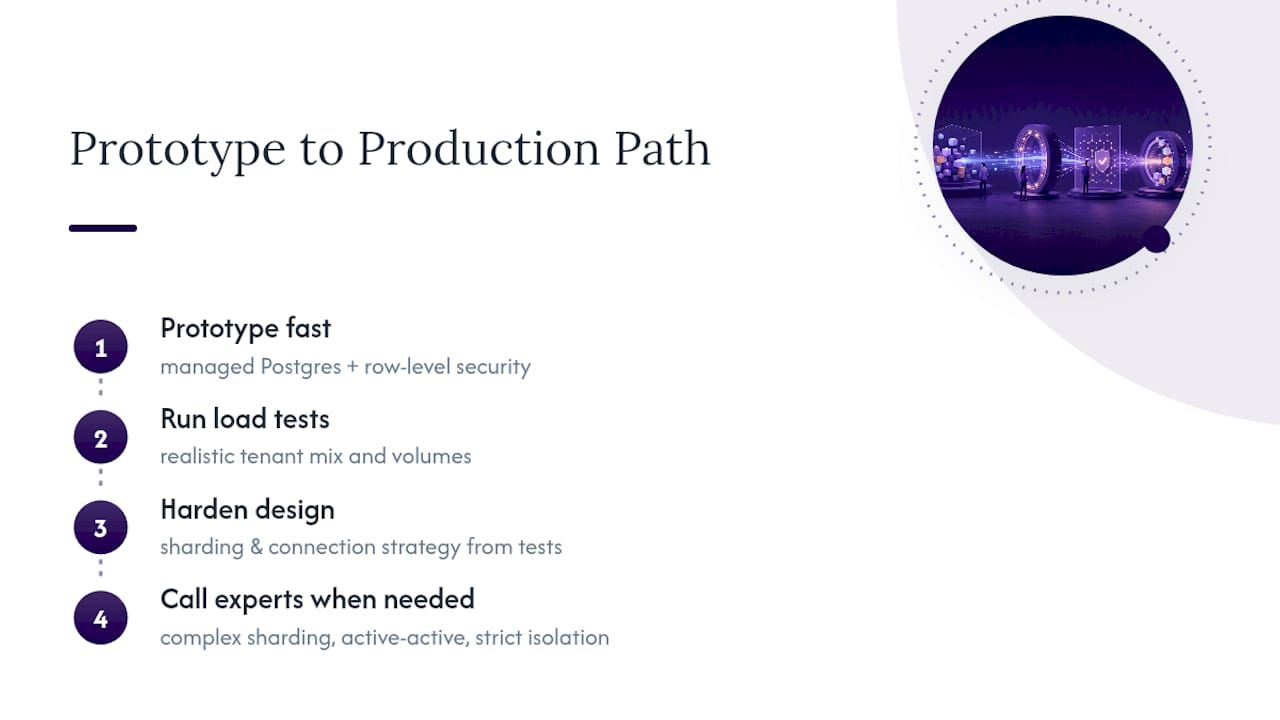
Across the multi-tenant projects Kreante has built, the recurring failure isn’t picking Postgres or picking NoSQL. It’s skipping the validation step and discovering the tenancy model doesn’t hold up once real customers with real data volumes show up. Our practical path: prototype fast on managed Postgres with row-level security enforcing tenant isolation, run load tests against a realistic tenant mix, then harden the sharding and connection strategy based on what the tests actually reveal.
That approach gets a working system in front of users in weeks. Where it breaks down is complex sharding topologies, true global active-active requirements, or strict per-tenant regulatory isolation. Those situations reward bringing in engineers who’ve solved that exact problem before, since the cost of getting it wrong compounds with every tenant you onboard afterward.
— Jorge Del Carpio
Where to Read More on SaaS Database Architecture
For deeper technical grounding, review Microsoft’s tenancy pattern documentation, AWS’s database selection guidance, and this practitioner writeup on choosing a SaaS database. For growth-side context once your platform is live, see this piece on automating SaaS growth tasks.
If the architecture decisions above feel bigger than a weekend project, that’s a fair read. Kreante’s web and mobile app development team builds and hardens exactly these multi-tenant systems, from the first prototype through production scale, and you keep the code either way.
MySQL fits multi-tenant SaaS backends handling concurrent writes from many users at once, while SQLite works best for embedded, single-user, or edge/sandboxed scenarios rather than centralized multi-tenant OLTP workloads.
The main categories are relational (Postgres, MySQL), document/NoSQL (MongoDB, DynamoDB), key-value stores, time-series databases, search engines, vector databases, and distributed SQL platforms, each suited to different access patterns within a SaaS stack.
It depends on the implementation: true scale-to-zero serverless can cut idle costs sharply, but many “serverless” products are auto-scaling managed instances that still bill a base rate, so confirm which model a vendor is actually offering.
Yes, and hybrid setups are common: most SaaS companies keep shared-table for the majority of tenants while migrating specific large or regulated accounts into their own schema or database as needed.
SaaS remains a dominant software delivery model, though rising infrastructure and AI feature costs are pushing companies to scrutinize their database and hosting choices more closely than in prior years to protect margin.


 Development