Mobile CI/CD Checklist: 3 Stages and Framework Fit
Framework-fit mobile CI/CD guidance for engineering teams. Learn when to choose managed, general, or self hosted setups and follow a 3 stage checklist to...
Mobile CI/CD is the automated pipeline that builds, tests, and ships your iOS and Android app every time you push code, handling the macOS requirement, code signing, and app store submission that web deployments never touch. Most teams should start with a managed mobile CI platform like Bitrise, Codemagic, or Expo EAS Workflows. Only move to a hybrid or self-hosted setup once you hit real compliance or scale constraints. The rest of this guide walks through why, and how.
TL;DR:
Managed CI platforms like Bitrise, Codemagic, or Expo EAS Workflows are recommended for most teams to save engineering time and simplify setup, with self-hosted options suitable only for high-scale or regulated environments. Hardware constraints, especially for iOS, require macOS build machines, and proper code signing with secure certificate management is critical to prevent release failures. Optimizing build times involves using Apple silicon runners, caching dependencies, and fingerprinting JavaScript changes to avoid full native rebuilds; costs depend heavily on hardware choices and dependency caching. Automating signing, artifact distribution, and quality assurance processes offers the highest return, while complex testing and compliance should be layered gradually after initial automation. Choosing the right tool depends on framework, team size, and control needs, with Expo EAS for React Native, Codemagic for Flutter, and Bitrise or GitHub Actions for native or mixed stacks.
What Makes CI/CD for Mobile Apps Different From Web?
A web deploy pushes to a server you control. A mobile release goes through Apple and Google, and that changes everything about how you build the pipeline.
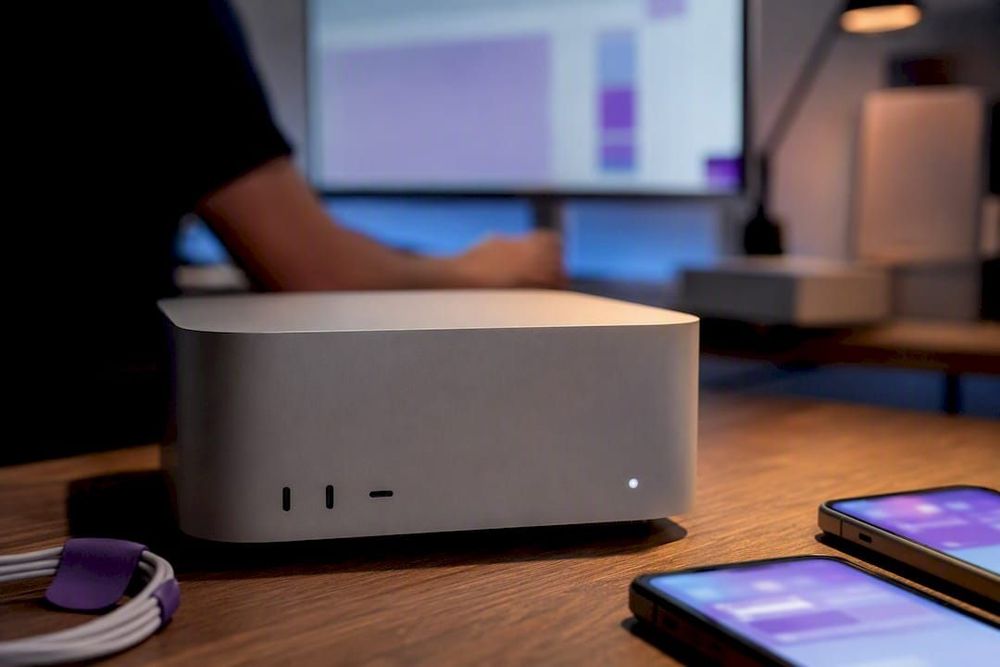
Start with hardware. Compiling an iOS app requires Xcode, which only runs on macOS. That single constraint eliminates most of the cheap Linux runner fleets web teams rely on and pushes you toward Apple silicon build machines, either self-hosted Mac minis or rented cloud instances.
Then there’s code signing. Every iOS and Android release build needs cryptographic certificates and provisioning profiles matched correctly, or the build fails silently at the worst possible moment. Get this wrong and you’re debugging expired certificates at 11 p.m. before a launch.
A few other structural differences matter for pipeline design:
App store review adds a human approval step and unpredictable timing that web continuous deployment never has to plan around.
Testing needs real devices or high-fidelity emulators, not just headless browsers.
Over-the-air (OTA) update strategies for JavaScript-driven apps can bypass store review entirely for non-native changes, which most web CI/CD documentation doesn’t cover at all.
What Are the Core Stages of a Mobile CI/CD Pipeline?
Every mature mobile pipeline breaks down into the same handful of stages, whether you’re running Fastlane scripts or a managed platform underneath.
Trigger and gate. Define branching rules so pull requests trigger a validation build automatically, running linting, static analysis, and unit tests before a human ever reviews the code.
Platform builds. Compile iOS and Android in parallel where your runner budget allows, and cache dependencies (CocoaPods, Gradle, npm) aggressively since cold builds are the single biggest time sink.
Automated testing. Run unit tests on every commit, integration tests on merge to main, and reserve full end-to-end tests on device farms (BrowserStack, Firebase Test Lab) for nightly runs or pre-release branches, since device-farm minutes are expensive.
Signing. Apply certificates and provisioning profiles through an automated, version-controlled process rather than a developer’s personal keychain.
Distribution. Push to TestFlight and Google Play’s internal testing track for QA, then promote to production, using OTA channels for JavaScript-only fixes when your framework supports it.
Success looks like a pull request that gets a pass/fail signal in under 15 minutes and a release build that ships without anyone touching a terminal.
Managed CI, General-Purpose CI, or Self-Hosted: How Do You Choose?
This is the decision that shapes your entire engineering budget for the next two years, and most teams make it based on sticker price instead of total cost.
Self-hosting wins on cost at scale but hides real risk: someone has to patch macOS, renew Xcode, and fix a broken runner during an outage, which is why understanding the self-hosted vs SaaS trade-offs is critical. A decision checklist:
Fewer than 5 mobile engineers, no dedicated DevOps role: choose managed.
Already deep in GitHub Actions with build volume under a few hundred runs a month: general CI is fine.
Regulated industry, need full control of build artifacts, or running thousands of builds monthly: self-host or go hybrid.
Pro Tip:Run the math on engineer hours, not just subscription cost. A senior mobile engineer spending four hours a month babysitting a broken Mac runner costs more than most managed CI tiers.
Which CI/CD Tool Fits Your Mobile Framework?
Framework choice narrows the tooling decision faster than almost anything else. Expo’s own 2026 comparison breaks the landscape down cleanly by stack, and the pattern holds up in practice.
React Native and Expo: Expo EAS Workflows is the recommended default for Expo and React Native projects, largely because it understands JS-only changes and can skip a full native rebuild through OTA updates, cutting release cycles from days to minutes for non-native fixes.
Flutter: Codemagic tends to fit Flutter-first teams best, with YAML configuration that maps closely to Flutter’s own build commands and less onboarding friction than general CI.
Native or mixed iOS/Android teams: Bitrise’s broad Step library and native platform support make it a strong fit when you’re not standardized on one cross-platform framework.
Teams that want pipeline logic inside GitHub: GitHub Actions works as an orchestrator on top of any of the above, particularly if your CI already triggers deploys, changelogs, or Slack notifications from the same workflows.
Fastlane still shows up across all of these as the automation layer underneath, especially for signing and store uploads. It’s worth understanding on its own merits when you compare Fastlane vs Codemagic for a self-hosted approach.
How Do You Cut Mobile Build Times and Costs?
Build speed is where the biggest, cheapest wins hide, and most teams never bother measuring where the time actually goes.
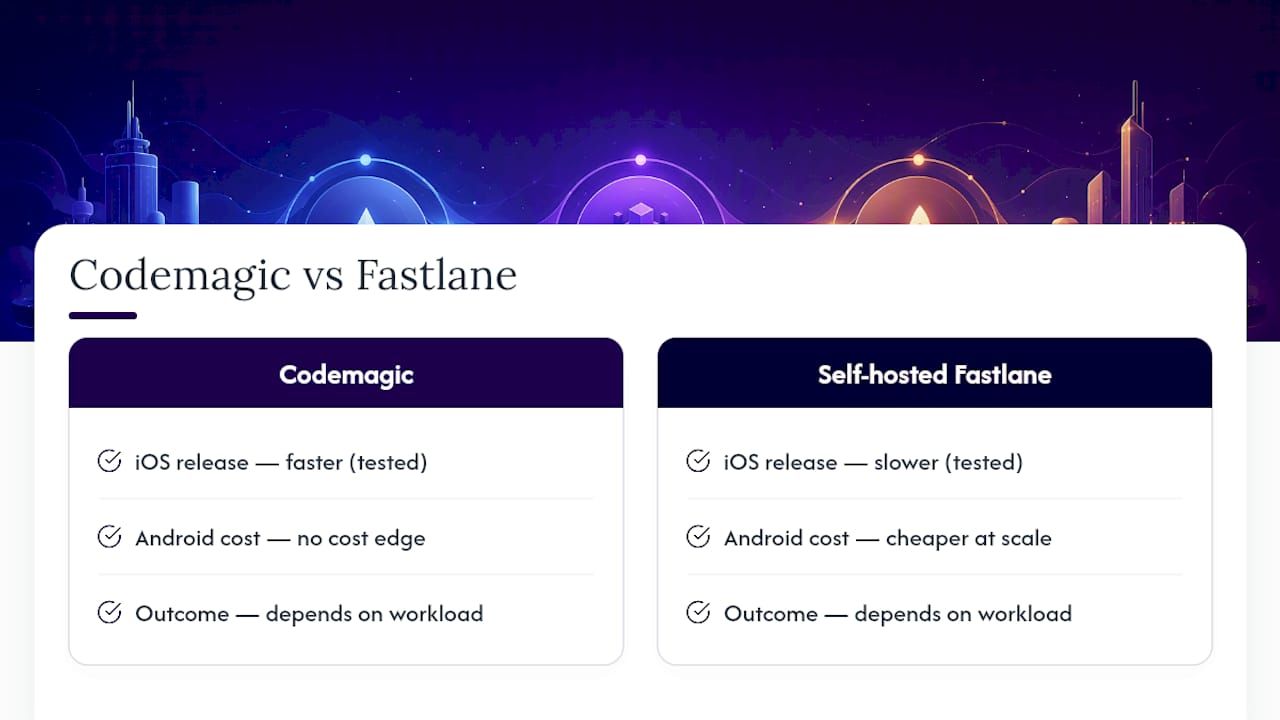
Apple silicon runners are the single highest-leverage change for iOS teams still on Intel-based machines. A benchmark comparing Fastlane 2.220 against Codemagic 1.0 across iOS 18 and Android 15 builds found Codemagic delivering faster iOS release builds in the tested workload, while self-hosted Fastlane held a cost edge for heavy Android build volume. Neither wins universally; it depends on what you’re actually running.
Beyond hardware: cache Gradle dependencies and Xcode derived data between runs, and for large Android monorepos, dedicated Gradle workers can meaningfully cut p99 release build times when you’re tracking percentiles instead of just averages. For JS-driven apps, fingerprint-based repack strategies skip a full native rebuild entirely when only JavaScript changed, which is often the fastest build you’ll ever ship.
How Do You Secure Code Signing and Secrets in CI/CD?
An expired certificate blocking a Friday release is one of the most common, most preventable failures in mobile engineering. The fix is process, not luck.
Centralize provisioning through a tool like Fastlane’s match, which stores encrypted signing assets in a private Git repo so the whole team pulls from one source of truth instead of individual keychains.
Rotate certificates before expiry, not after, and keep a documented recovery path for when one lapses anyway.
Apply least-privilege access so only the CI service account and a couple of senior engineers can pull production signing keys.
Set up alerting on signing or submission failures so a broken build gets caught in minutes, not discovered during a release window.
Pro Tip:Put a calendar reminder 30 days before every certificate expiry. It sounds too simple to matter, and it’s the single fix that prevents the most painful release-day fires.
What Does a Field-Tested Mobile CI/CD Checklist Look Like?
Kreante has shipped mobile builds across projects like SmartCab, and the pattern that works is almost always the same: start small, add reliability layer by layer, resist the urge to build the perfect pipeline on day one.
A staged rollout that holds up in practice:
Stage 1, MVP pipeline: PR-triggered builds, unit tests, and lint checks. Nothing fancier yet.
Stage 2, reliability: Signed artifact generation, automated distribution to TestFlight and Google Play internal testing, and Slack or email alerts on failure.
Stage 3, scale and compliance: Full E2E device-farm testing, staged store rollouts, and audit logging for regulated clients.
A sample job sequence looks like: lint and unit test on PR, build and sign on merge to main, distribute to QA track, run E2E suite nightly, promote to production on tag. The most common pitfall Kreante sees is teams jumping straight to Stage 3 complexity before Stage 1 even runs reliably, which burns weeks debugging a pipeline nobody needed yet.
What Should Teams Automate First?
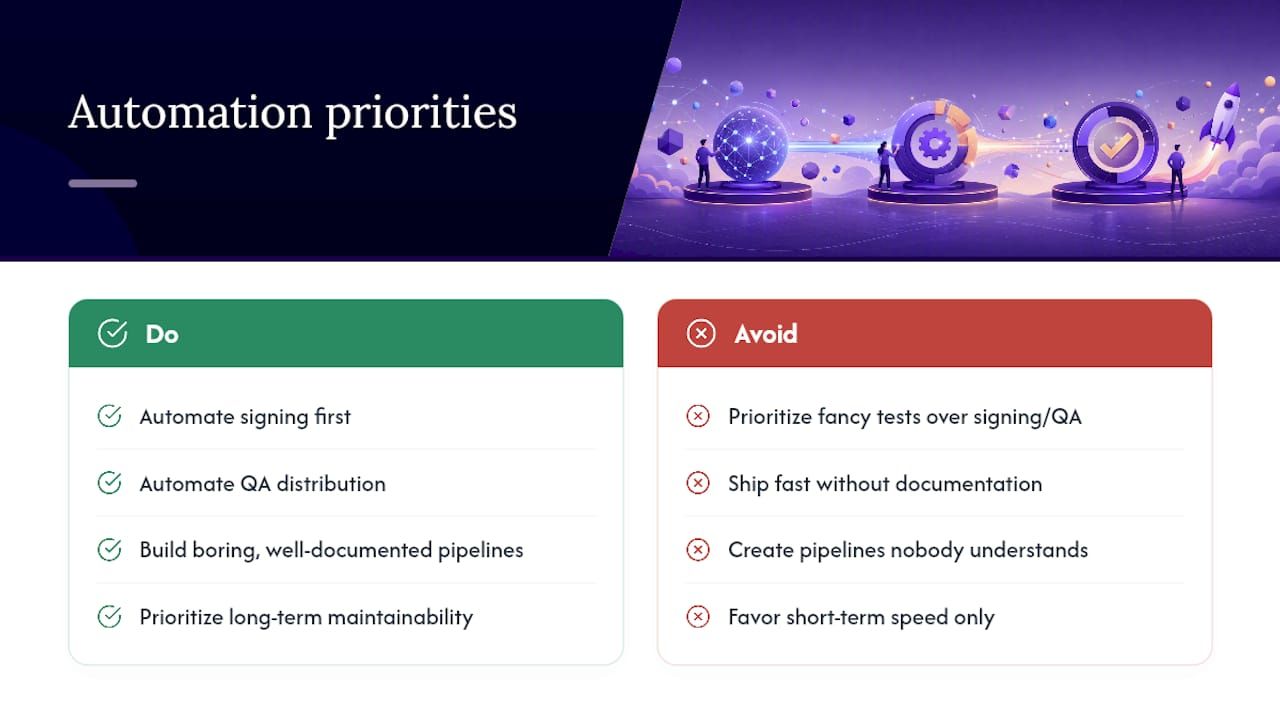
The highest return comes from automating signing and QA distribution before anything else. That’s where teams lose the most hours to manual busywork, not in fancier test coverage.
Speed and long-term maintainability pull in opposite directions more often than vendors admit. A pipeline that ships fast today but nobody understands in six months isn’t a win. Build the boring, well-documented version first.
— Jorge Del Carpio
Need a Team to Build the Pipeline, Not Just Advise on It?
Reading about mobile CI/CD and actually standing one up under a deadline are two different jobs, and most teams without a dedicated DevOps engineer end up losing weeks to certificate errors and half-finished YAML configs. Kreante builds and ships mobile apps end to end, including the build and delivery pipeline, so the release process isn’t something your team has to reverse-engineer from vendor docs while also shipping features.
This is the right call when you’re short on DevOps capacity, facing a compliance requirement you haven’t dealt with before, or simply working against a launch date that doesn’t leave room to learn Fastlane from scratch. Kreante’s web and mobile app development work covers architecture, build automation, and AI feature integration where a project calls for it, with code you own outright when the engagement ends. If your next app needs a pipeline built right the first time, that’s a conversation worth having before you write your first workflow file.
Where Can You Read More on Mobile CI/CD Tooling?
For hands-on setup details, go straight to the source rather than secondhand summaries.
There’s no single best tool. Expo EAS Workflows fits React Native and Expo projects, Codemagic tends to suit Flutter teams, and Bitrise works well for native or mixed-stack builds, while GitHub Actions is a solid orchestrator if you’re already GitHub-centric.
Yes, you can build and sign an Android app manually through Android Studio, but you’ll lose the automated testing, consistent signing, and one-click distribution that a pipeline provides as your app and team grow.
You need a macOS build environment for iOS, valid code signing certificates and provisioning profiles for both platforms, a testing strategy covering unit and device-level checks, and a CI platform (managed or self-hosted) to orchestrate the builds.
Cost depends heavily on app complexity, team size, and whether you choose managed CI or self-hosted infrastructure. Working with a team like Kreante that builds the app and its release pipeline together, through custom development, typically costs less overall than paying engineering hours to build and maintain a pipeline separately.

 Development