
 Fundamentals
AI Bias Mitigation: A Lifecycle Guide for Practitioners
Discover how to effectively mitigate AI bias throughout the model lifecycle. Implement structured approaches for fairer outcomes today.
JorgeAugust 11, 2026Read the article
Discover when to use user stories vs use cases for agile projects. Enhance your team's productivity by choosing the right approach.

Use a user story when you’re delivering incremental value on a mature product and the team can talk through details together. Use a use case when the feature involves multiple actors, branching logic, or a regulated workflow that needs a paper trail. Most real projects need both, and the winning move is to write the use case first, then slice it into stories your team can actually finish in a sprint.
Here’s the quick map:
The choice ripples through sprint planning and traceability. Teams that lean only on stories often lose track of edge cases once three or four stories touch the same workflow. Teams that lean only on use cases tend to over-document features nobody asked for yet, slowing down delivery for no real gain.
Pro Tip: If you’re staring at a blank backlog item and can’t decide, ask whether a QA engineer could write a test from the sentence alone. If not, you probably need a use case’s structure, not just a longer story.
Choosing between a user story and a use case comes down to how much structure the workflow needs before a team can safely build it.
| Point | Details |
|---|---|
| Match the artifact to complexity | Use stories for single-actor, incremental features; use cases for multi-actor or branching workflows. |
| Stories defer detail on purpose | The 3C’s (Card, Conversation, Confirmation) move detail into discussion, not the card itself. |
| Use cases need all six sections | Actor, preconditions, main flow, alternate flows, exceptions, and postconditions make a use case testable. |
| Convert with traceability | Tag every story derived from a use case with its use-case ID to keep requirements DRY. |
| Watch for story clutter | Branching acceptance criteria signal it’s time to write a use case and split the work. |
A user story is a short, plain-language statement of a need, written from the perspective of the person who benefits from it. The standard template is: “As a [user], I want [action], so that [benefit].” That’s it. It’s deliberately incomplete.
Stories are not requirements documents. They’re placeholders for a conversation the team hasn’t had yet, and Scrum makes the point directly: stories work because they promote shared understanding, not because the written sentence captures everything the developer needs to know. The real detail shows up later, through the 3C’s:
Here’s an example: “As a returning customer, I want to save my shipping address, so that I don’t have to retype it on every order.” Acceptance criteria might specify that the system stores up to five addresses, flags one as default, and lets the customer edit or delete any entry.
Pro Tip: Keep stories atomic. If your acceptance criteria list starts branching into “if this, then that” scenarios five levels deep, you’re not writing a story anymore, you’re writing a use case with a story’s clothes on.
A use case is a structured, step-by-step specification of how an actor interacts with a system to achieve a goal. Where a story fits on an index card, a use case reads more like a short script, complete with branches for what happens when things go wrong.
Visual Paradigm’s comparison frames it cleanly: user stories capture who, what, and why; use cases capture how, including preconditions, the main path, alternate paths, and exceptions. That structure is what makes use cases useful for anything with more than one actor or more than one way the interaction can go wrong.
A complete use case generally includes:
A short outline for “Process a Refund” might run: customer initiates return, system verifies order eligibility, customer selects refund method, system validates payment gateway response, system issues refund and updates order status. Each of those five steps can branch: what if the order is outside the return window? What if the gateway times out? A story would gloss over those branches. A use case names them.
Use cases work best for interactive, user-facing systems. Karl Wiegers has noted that they’re less effective for batch processes or heavily algorithmic systems where the complexity lives behind the scenes rather than in the interaction itself.
Nothing clarifies the difference like watching one feature go through both formats. Take “password reset,” a feature every product eventually needs.
As a user story:
“As a registered user, I want to reset my password, so that I can regain access to my account if I forget it.” Acceptance criteria: the system sends a reset link to the registered email, the link expires after 30 minutes, and the user can set a new password meeting complexity requirements.
As a use case:
| Element | Detail |
|---|---|
| Actor | Registered user |
| Goal | Regain account access after forgetting password |
| Preconditions | User has a verified email on file |
| Main flow | User requests reset, system emails link, user clicks link, user sets new password, system confirms and logs the user in |
| Alternate flow | User requests reset for an unverified email; system sends a verification prompt instead |
| Exceptions | Link expired, email undeliverable, new password fails complexity check, account locked from too many attempts |
| Postconditions | Password updated and old sessions invalidated, or user informed of failure with next steps |
Notice what the story never mentions: what happens to sessions already logged in on other devices, what the system does with an unverified email, or how many reset attempts trigger a lockout. Those aren’t oversights. They’re details the story defers to conversation and testing, exactly as Mountain Goat Software describes stories functioning.
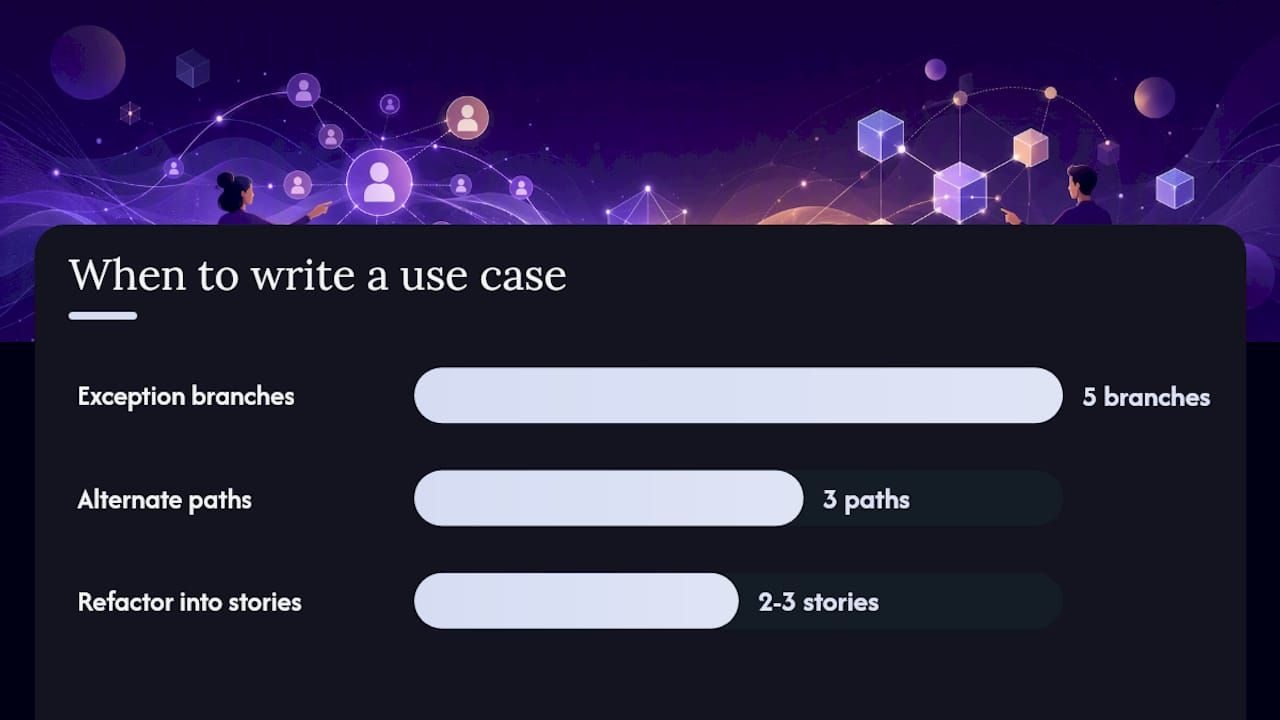
The edge case where a story alone breaks down: once acceptance criteria for “password reset” start listing five exception branches and three alternate paths, you’ve outgrown the card format. That’s the signal to write the use case, then carve it back into two or three cleaner stories, one for the happy path, one for lockout handling, one for the unverified-email flow.
The INVEST checklist is the standard filter for story quality, and it’s worth running every story through it before it hits the backlog:
Splitting an oversized story usually follows a pattern: split by workflow step (search, filter, sort become three stories instead of one), split by data variation (support CSV import first, add Excel later), or split by user role (admin view ships before the read-only view). Story mapping, a technique that lays stories along a user’s journey, makes these splits visible before anyone starts arguing about scope in a planning meeting.
Acceptance tests written in Gherkin format translate criteria into something both product and QA can verify:
Given a registered user with a verified email
When they request a password reset
Then the system sends a reset link that expires in 30 minutes
Pro Tip: Assign acceptance test ownership to whoever writes the story, not whoever picks it up in the sprint. The person closest to the “why” catches missing edge cases the fastest.
A use-case template that survives stakeholder sign-off and engineering handoff needs more structure than a paragraph of prose. The core sections practitioners rely on:
Diagrams earn their place when a use case involves more than two actors or when stakeholders keep misreading the text description. A UML use case diagram, showing actors as stick figures and use cases as ovals connected by lines, clarifies scope in a glance that three paragraphs can’t. Skip the diagram for simple, single-actor flows. It adds overhead without adding clarity.
Keep the narrative concise: one sentence per step, active voice, no implementation detail. “System validates the payment token” beats “the payment microservice calls the third-party gateway API and parses the JSON response.” That belongs in a technical design doc, not the use case.
Tracing scenarios to test cases is what keeps use cases from going stale. Each alternate flow and exception should map to at least one test case ID. When teams skip this step, use cases turn into documentation nobody trusts, because nobody knows if the tests still match the written behavior six months later.
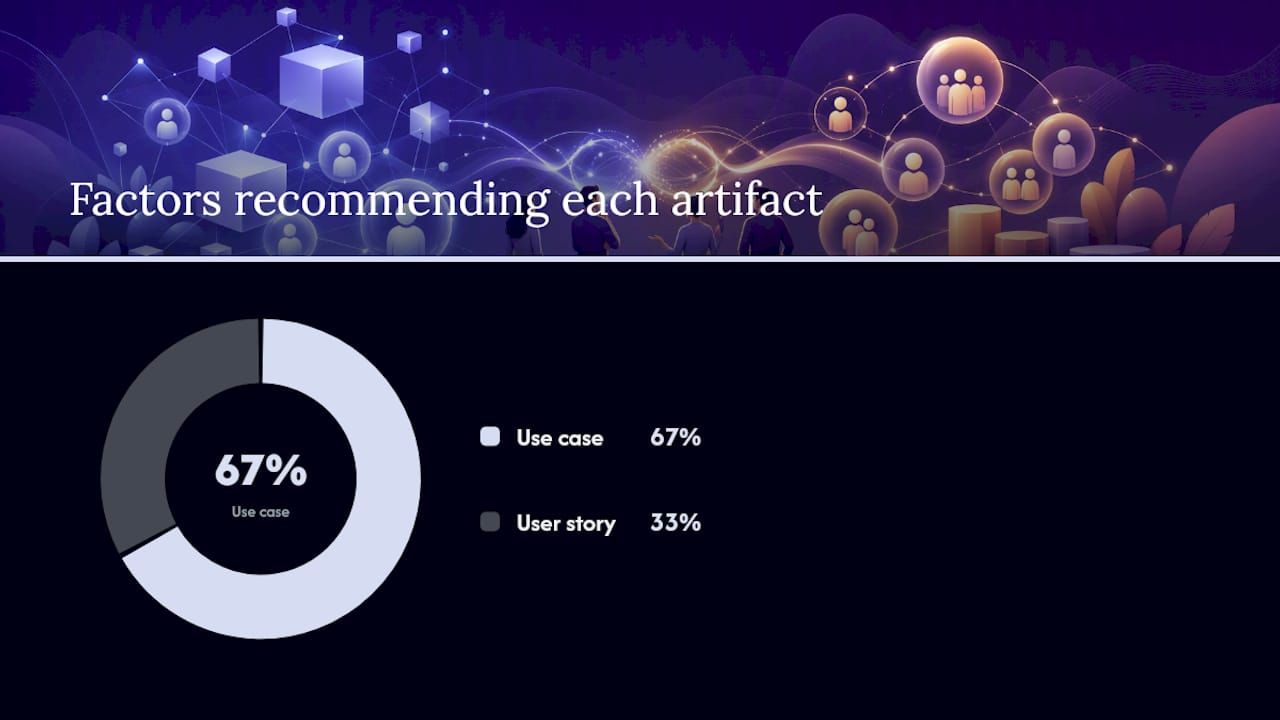
The decision usually comes down to three variables: complexity, regulation, and how long the documentation needs to live.
| Project attribute | Lean toward |
|---|---|
| Single actor, straightforward path | User story |
| Multiple actors or systems interacting | Use case |
| Regulated industry requiring audit trails | Use case |
| Fast-moving feature on a stable, well-understood product | User story |
| New system where behavior needs explicit documentation before build | Use case |
| Distributed team needing shared context without daily standups | Use case |
Three quick rules worth memorizing: if a feature touches more than one actor and has more than two alternate flows, write the use case first. If the acceptance criteria for a story start reading like a legal document, you’ve picked the wrong artifact. If your team sits in the same room and ships weekly, stories alone usually get the job done.
In practice, this plays out predictably. A checkout flow for an e-commerce site with one payment provider and one shipping method fits comfortably as three or four stories. The same checkout flow with three payment providers, split shipping, and fraud review escalation is a use case first, because the alternate flows outnumber the happy path. A healthcare intake form with role-based access and audit logging needs a use case before a single story gets written, because LogRocket’s comparison points out that regulatory and compliance needs are exactly where use cases earn their overhead.
Once a use case is written, the real work is turning it into something a sprint team can execute without losing the detail you just captured. This is where most teams either succeed at hybrid delivery or quietly abandon one artifact for the other out of frustration.
A simple traceability approach that works without extra tooling: keep a spreadsheet or a backlog field mapping each use-case ID to its child story IDs, and update it as stories get added or split further. It’s not glamorous, but deriving stories from a validated use case this way keeps requirements DRY instead of scattered across a dozen stories with no shared reference point.
Decomposition checklist before you close out the use case review:
Watch for story clutter: when one story’s acceptance criteria balloon past five or six conditions because it’s quietly absorbing branching logic that belongs in a separate story, split it. That bloat is usually a sign the use-case decomposition step got skipped.
User story template:
Use case template:
Use case ID: UC-[number]
Name: [short descriptive title]
Primary actor: [who triggers this]
Preconditions: [what must be true first]
Main flow: [numbered steps]
Alternate flows: [numbered variants, tied to main flow step]
Exceptions: [failure conditions and system response]
Postconditions: [guaranteed end state]
“Ready for grooming” checklist (stories):
“Ready for sign-off” checklist (use cases):
Ten mistakes show up again and again in backlogs and requirement docs, and most have a straightforward fix:
Backlog tools like Jira, Azure DevOps, and Linear handle stories natively, and most support custom fields or links for tagging a story back to a parent use-case ID. Requirements repositories (Confluence, Notion, or a dedicated requirements management tool) hold the full use-case narrative where a backlog card format falls short.
Diagramming tools matter once a use case involves three or more actors. A UML use case diagram built in a tool like Lucidchart or Visual Paradigm clarifies scope faster than another paragraph of prose. Test-management tools (TestRail, Xray) close the loop by linking acceptance criteria and use-case exceptions to actual test cases, so nobody has to guess whether the documented behavior still matches what ships.
A few naming conventions save real time: prefix use-case IDs consistently (UC-001), tag compliance-related stories or use cases with a shared label like regulated, and never let a story reference a use case by name alone, since names change and IDs don’t. For teams building AI-driven features where behavior is probabilistic rather than deterministic, structured regression testing becomes especially important, since acceptance criteria alone rarely capture every way a model’s output can drift.
Documentation stays alive when it’s reviewed at release boundaries, not treated as a one-time artifact. A changelog approach that tracks what changed and when gives teams a lightweight way to keep use cases and stories in sync with what’s actually deployed.
Auditability changes the math entirely. When a regulator or an internal compliance team needs to see exactly how a system behaves under every condition, a use case’s structured exceptions and postconditions provide evidence a two-sentence story never will.
In finance, audit trails demand documented alternate flows for every transaction state, including partial failures and reversals. In healthcare, validated workflows often require sign-off on exact interaction sequences before a system touches patient data, which makes a use case’s precondition and postcondition sections nearly mandatory. In safety-critical systems, deterministic flows and documented acceptance evidence aren’t optional. A story’s “so that” clause doesn’t hold up when an auditor asks what happens if a sensor fails mid-sequence.
The practical move is to embed compliance evidence directly into the use case’s exception and postcondition sections rather than maintaining a separate compliance document that inevitably drifts out of sync with what the system actually does.
Kreante’s build process almost always starts with a use case, even on projects that will run as an Agile sprint cycle from day one. On the DAVCO AI project, the team validated the core workflow as a use case with the client before writing a single story, mapping out every actor and exception in the automation pipeline. That use case then became the source document for a backlog of sprint-ready stories, each tagged back to the section of the original workflow it covered.
The lesson that keeps proving out: skipping the use-case step on anything with more than one actor costs more time in rework than it saves in upfront planning. Teams that want to adopt this hybrid approach don’t need heavier process, they need one disciplined checkpoint before stories get written.
If your team is weighing whether a feature needs this level of upfront structure, particularly for AI-driven workflows or automations with real branching logic, Kreante’s AI solutions development work starts with exactly this kind of use-case validation before a single line of code gets written. It’s the difference between a prototype that works in the demo and a system that holds up once real users start hitting the edge cases nobody wrote down.
A handful of sources are worth bookmarking if you want to go deeper than this comparison:
For teams wrestling with how much detail to put in writing versus leaving to conversation, Kreante’s piece on clear communication in project management covers the stakeholder-alignment side of this problem directly.
A user story is a short, informal statement of a need meant to spark conversation, while a use case is a structured, step-by-step specification covering preconditions, main and alternate flows, and exceptions.
The 3C’s are Card (the short written story), Conversation (the discussion that fills in detail), and Confirmation (the acceptance criteria that define when the story is done).
No. An epic is a large user story too big for one sprint that gets split into smaller stories over time, while a use case is a structured behavioral specification with defined actors, flows, and exceptions. They can overlap in scope, but they’re built differently and serve different documentation purposes.
Common examples include “process a refund,” “reset a password” with lockout and expiration handling, “onboard a new employee” across HR and IT systems, and “submit an insurance claim” with validation and approval branches, each mapped out with actors, main flow, and alternate paths.
Yes, and it’s a common best practice. A validated use case’s main flow, alternate flows, and exceptions each become candidate stories, with each story tagged back to the original use-case ID for traceability.
Go further
Don't let your tech watch stop here. Explore our other resources to master your technology stack.
FundamentalsDiscover how to effectively mitigate AI bias throughout the model lifecycle. Implement structured approaches for fairer outcomes today.
 Tools
ToolsDiscover effective SaaS pricing models tailored for founders and product managers. Learn how to optimize revenue based on your product's needs.
 Tools
ToolsDiscover how document processing automation can streamline your operations, enhance accuracy, and deliver a prototype in just weeks.