
 Insights & Tips
AI Apps to Build Without Coding: 10 Useful Ideas in 2026
Ten practical no-code AI app ideas for companies, the criteria for choosing a tool, and the signals that it is time to build custom.
KreanteAugust 8, 2026Read the article
Following the initial commercial phase of a no-code/low-code project, the first meeting is pivotal for the Project Manager, who is adept at helping clients refine and shape their ideas into actionable development strategies

Published on December 31, 2024
By Marianella Saavedra Terkes · 7 minute read
Following the initial commercial phase of a no-code/low-code project, the first meeting is pivotal for the Project Manager, who is adept at helping clients refine and shape their ideas into actionable development strategies. One key advantage of no-code/low-code solutions is their ability to swiftly and effectively translate these ideas, facilitating rapid development and deployment. This article will guide you through conducting a productive project initiation meeting within the no-code ecosystem.

Before any project meeting, especially the first one, thorough preparation is key to ensuring a productive and successful discussion. Here are some practical tips to help you get ready:
By following these practical tips, you can create a well-prepared, productive, and successful meeting environment that sets the stage for effective project planning and execution.
Before diving into technical discussions, it's crucial to ensure the client comprehends no-code/low-code software solutions. While the initial team has already introduced platforms like Bubble.io, Webflow, Airtable, FlutterFlow, WeWeb, Xano, Supabase, and Firebase, your role as a Project Manager is to align these tools with specific business needs and technical limitations.
During the commercial phase, clients often articulate general needs like “we need a web application” or “we want an e-commerce platform.” They may also mention specific apps that enhance device capabilities and provide a secure environment. Your first task is to delve deeper into specific requirements, while also asking the client for any references or inspiration they have in mind. For instance, inquire if there are existing web or mobile applications they admire, or if they have seen any particular features or designs they wish to incorporate:

The no-code/low-code ecosystem offers a diverse array of tools, each with unique strengths tailored to different project needs. A crucial aspect of these tools is their reliance on the browser for the functioning of web applications, facilitating seamless communication between the client interface and server data. Your discussion should cover:
When considering the best tool for your project, it's important to align the customer's needs with the platform's capabilities. Here are some popular choices:
For backend services and data management, consider these robust options:
For automation and workflow enhancements, explore:
By selecting the right combination of these tools, you can create a powerful and efficient no-code/low-code solution tailored to your business needs.
No-code/Low-code platforms have different capabilities when it comes to scaling. Discuss:
While these platforms present certain challenges, they can be effectively navigated through meticulous integration planning. By emphasizing the positive aspects, they empower businesses to align objectives with the robust capabilities of no-code platforms, ensuring a successful and rewarding project outcome.
Break down the project into manageable phases:

Data-driven decision making is a cornerstone of successful project management. It involves gathering and analyzing data to inform decisions and drive project success. Here are the key steps to follow:
By following these steps, you can ensure that your project is driven by data and that decisions are informed by solid evidence, leading to better outcomes and more efficient processes.
Select appropriate tools for:
Address common risks:
The launch and deployment phase is critical for the success of any project. It involves ensuring that all necessary steps are taken to guarantee a smooth and successful launch. Here are some key steps to follow:
By following these steps, you can ensure that your project is launched and deployed successfully, meeting all required standards and providing a positive experience for users and stakeholders alike.
End the meeting with clear next actions:
The success of a no-code/low-code project heavily depends on properly aligning business needs with platform capabilities from the start. This initial meeting sets the tone for the entire project and ensures all stakeholders understand both the possibilities and limitations of the chosen no-code/low-code approach. Additionally, it is important to schedule several follow-up meetings to touch base and refine the project plan as needed until the project is ready to start.
Embrace the tremendous advantages that no-code/low-code platforms offer, such as rapid development speed and unparalleled flexibility, which empower businesses to create innovative solutions efficiently. While these platforms come with their own constraints, your role is to expertly guide the client through these considerations, ensuring a seamless focus on their business objectives.
Always document the decisions made during this meeting, as they will form the foundation of your project plan and help maintain alignment between client expectations and no-code/low-code platform capabilities throughout the development process.
Go further
Don't let your tech watch stop here. Explore our other resources to master your technology stack.
Insights & TipsTen practical no-code AI app ideas for companies, the criteria for choosing a tool, and the signals that it is time to build custom.
 Insights & Tips
Zero Data Retention guarantees your data is never stored after AI processing. Framework to decide when you need it plus a comparison of Anthropic, OpenAI/Azure, Mistral, OpenRouter, LLM Bay and Infomania.
 Insights & Tips
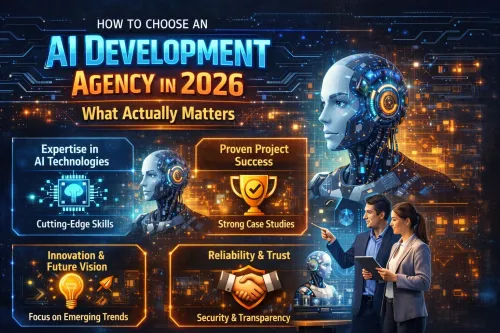
5 steps to vet an AI development agency before you sign: live portfolio, tech stack certifications, realistic timelines, post-launch terms, and pricing benchmarks from 265+ projects.