
Track their orders and projects
The answer to “where are we?”, without calling
- Status of orders, job sites or files, updated from your ERP or management tool
- Next steps, key dates and actions expected on their side, clearly displayed

“Where is my order?”, “Can you send me the March invoice again?”, “What is the latest version of the plan?” These requests arrive every day by email and phone, and each one forces someone to dig through the ERP, a shared folder or an inbox. At Kreante, we build custom portals, connected to your software, where each client finds their orders, documents, invoices and requests.
265+ projects delivered in 35 countries · 4.9/5 average rating on Clutch · 110+ client companies















These situations may sound familiar:
An account manager who spends an hour a day replying “your order is being prepared”
Invoices sent again as attachments because the client can no longer find the original
A plan or quote approved in version 2, when version 4 was already circulating
Documents requested from the client three times before a file can be opened
A share link open to anyone, forgotten in an old email
An off-the-shelf client area that does not show the information your clients are really looking for
The CNIL received 6,167 data breach notifications in 2025, a record, and sending personal data to the wrong recipient is one of the frequent causes[1]. A portal where each client logs in to their own space removes a good part of these risks.
The answer to “where are we?”, without calling
The right version, in the right place
Fewer reminders, faster payments
An immediate answer, even on Sundays
An internal view to manage the client relationship
AI lets us deliver faster, without cutting corners on quality:
Once live, AI serves your clients and your teams:
| Approach | What it does well | Its limits | Ideal for |
|---|---|---|---|
| Off-the-shelf client portal software | Ready quickly, monthly subscription, proven features | Your way of working has to fit its model, data often re-entered | Standard document and message exchanges |
| Portal built into your CRM or support tool | Plugged into data that is already there | Limited to what that tool contains, licences sometimes expensive | A portal centred on tickets and the knowledge base |
| AI portal generator | A first version in a few hours from a description | Security, access rights and integrations to check yourself, maintenance at your expense | A prototype to test the idea with your clients |
| Digital experience platform | Advanced personalisation, high volumes, many built-in services | Long and costly project, designed for large accounts | Groups with several brands and millions of customers |
| Kreante custom portal | Your client journey, your software, an AI assistant, code handed over | An initial scoping phase and a few weeks of development | Data spread across several tools and a journey specific to your business |
A client portal brings together contracts, invoices and sometimes payment methods in one place. A single access rights error is enough to expose one client’s documents to another. We treat security as a feature in its own right, tested before each release.
Automated tests that try, with each new version, to access another client’s data
A login that complies with the CNIL’s password recommendations, with two-factor authentication for sensitive accounts[2]
No bank card data stored with you or with us: payments go through a certified provider
Share links that expire, and a log showing who viewed or downloaded each document
Data hosted in Europe, limited to what the portal needs, as required by the GDPR[3]
The code and documentation placed in your own GitHub repository, so you stay in control of your portal
The code belongs to you and follows widely used standards. Adding online payment, a new document type or a second piece of software does not mean starting over.
Order status, invoices, documents: the portal displays them directly from your software. Nobody has to copy anything to keep it up to date.
A portal that clients do not open is useless. We work on the first login, the phone display and the notifications so that your clients get into the habit of using it.
Your logo, your colours, your web address and your invitation emails: your clients log in at your place, and the portal is a natural extension of your website and sales documents.
Free
30 minutes with an expert
From €3,900 excl. VAT
Live in about six weeks
Custom quote
At the pace of your needs
We start from their real requests, emails and calls included, to decide what the portal shows first and what it lets them do.
You and two or three trusted clients click through a mockup of the portal. Their feedback changes the journey before development.
Logins, access rights, documents and invoices: we develop while showing you progress every week.
A small group of clients uses the real portal. We fix what gets in the way and check security one last time.
Invitations sent, first-login guide, training for your teams. The code and documentation are handed over to you.
Challenge
Stack
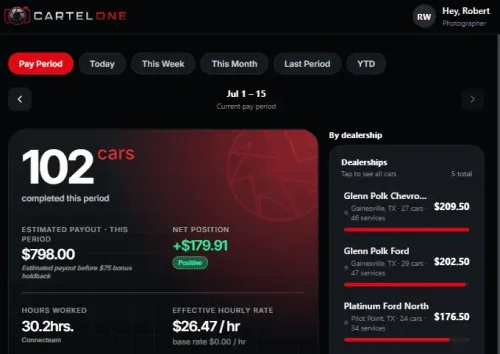
Performance and payroll management platform for AutoCartel field photographers.
Challenge
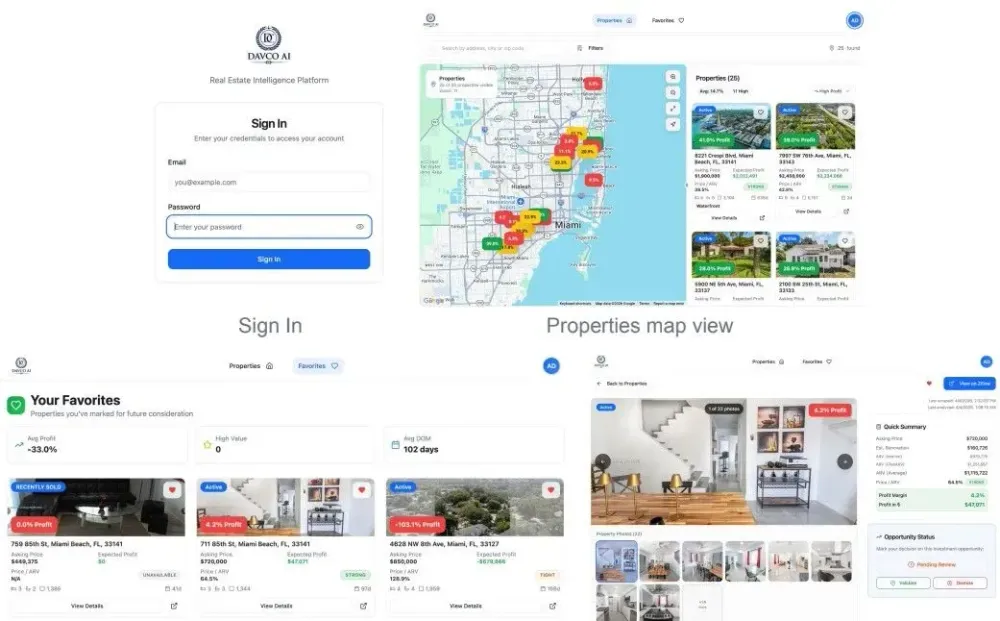
The platform ingests property data daily via Zillow scraping, runs AI-driven renovation cost and ARV estimates using OpenAI, and surfaces the highest-potential deals first. Users can review…
Stack
An AI-powered real estate intelligence platform built for a Miami-based investment team. DAVCO AI replaces manual Zillow filtering and spreadsheet-based calculations with an automated map interface that displays estimated profit margins across all active single-family listings in the Miami area.
Challenge
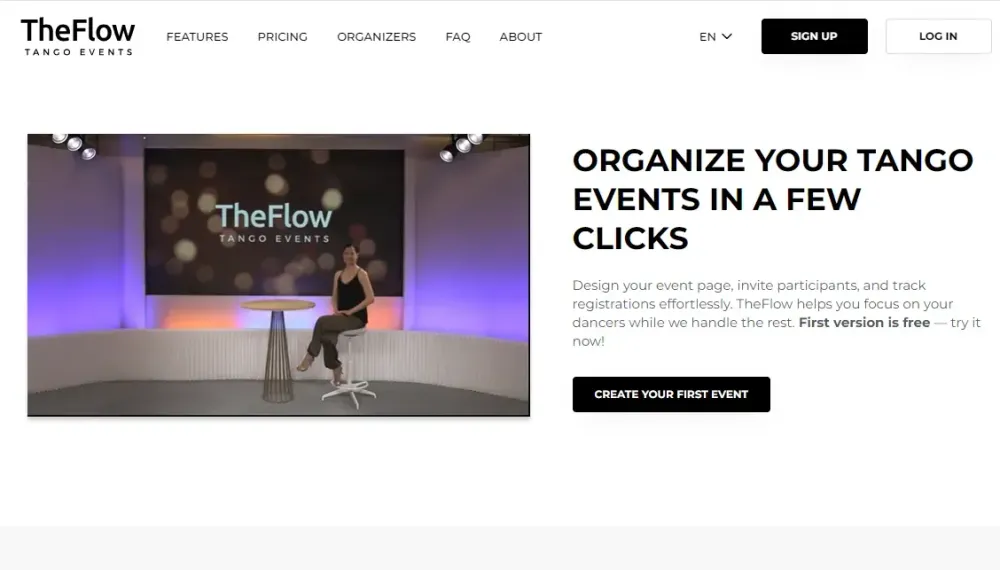
Tango event organizers across Europe were running everything manually — registrations, confirmations, payments, check-in. They needed one purpose-built platform to manage the full event lifecycle,…
Stack
TheFlow is a web platform built for tango event organizers in Europe. Kreante evolved it across multiple phases from a basic registration tool into a complete event management and ticketing product — covering event creation, participant management, waitlists, online payments, QR check-in, automatic invoicing, and an international tango event calendar.
Challenge
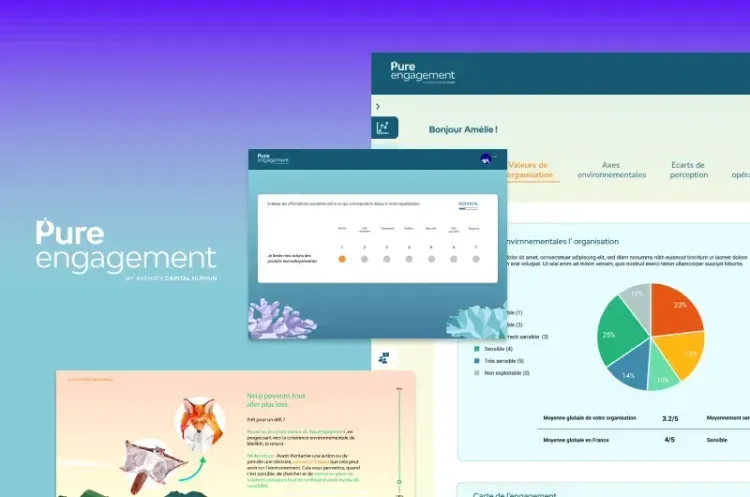
Kreante developed a comprehensive platform for Pure Engagement using NoCode technologies. Built with Bubble for the frontend and Xano for the backend, this solution facilitates organizational…
Stack
Pure Engagement needed a platform capable of handling the complexity of organizational transformation, recognizing that success depends not only on structural change but also on people’s psychological and emotional transition.
Challenge
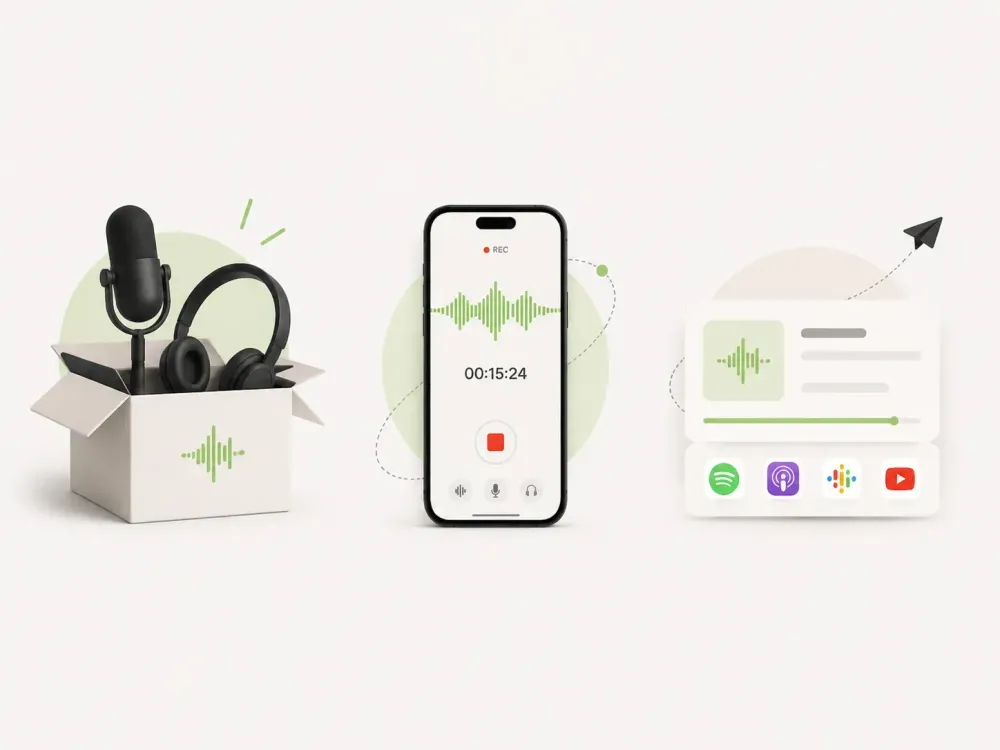
Build an iOS app that turns iPhones plus an audio interface into a complete, professional podcast recording studio, capturing high-quality sound and video across several phones at once and keeping…
Stack
A mobile app that lets creators record, sync, edit, and export podcast audio and video using a dedicated interface and multiple iPhones working together as one studio.
Challenge
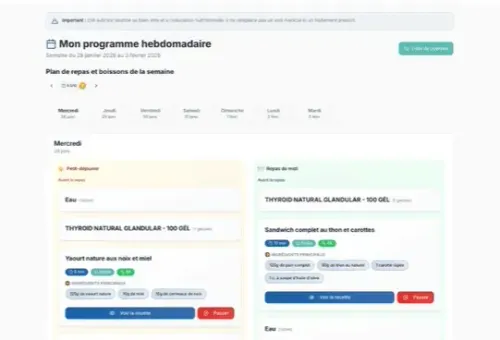
Patients leaving clinic checkups with a list of medical recommendations and lab results often had no clear, practical way to turn that information into daily meals, leading to poor adherence and high…
Stack
Kreante built REMI AI, a system that reads a patient's genetic and medical test results and automatically turns them into a personalized nutrition and supplement plan that gradually evolves over several months, with clinic staff reviewing every AI-generated interpretation before it reaches the patient.
Challenge
Stack
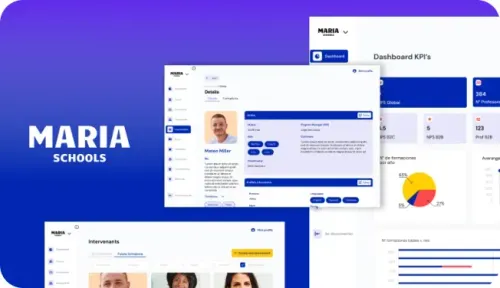
In the evolving landscape of web development, choosing the right approach for custom software development is crucial.
Challenge
Stack
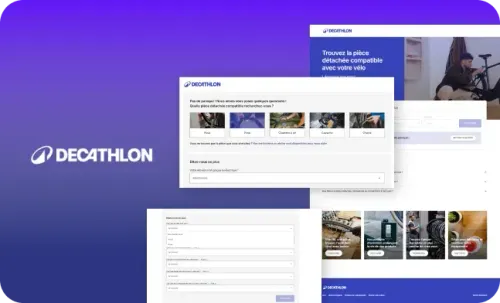
In the sustainability-focused retail landscape, product repair and maintenance play a pivotal role in circular economy initiatives. Businesses are increasingly adopting innovative solutions to reduce waste and extend product life cycles.
Challenge
Stack
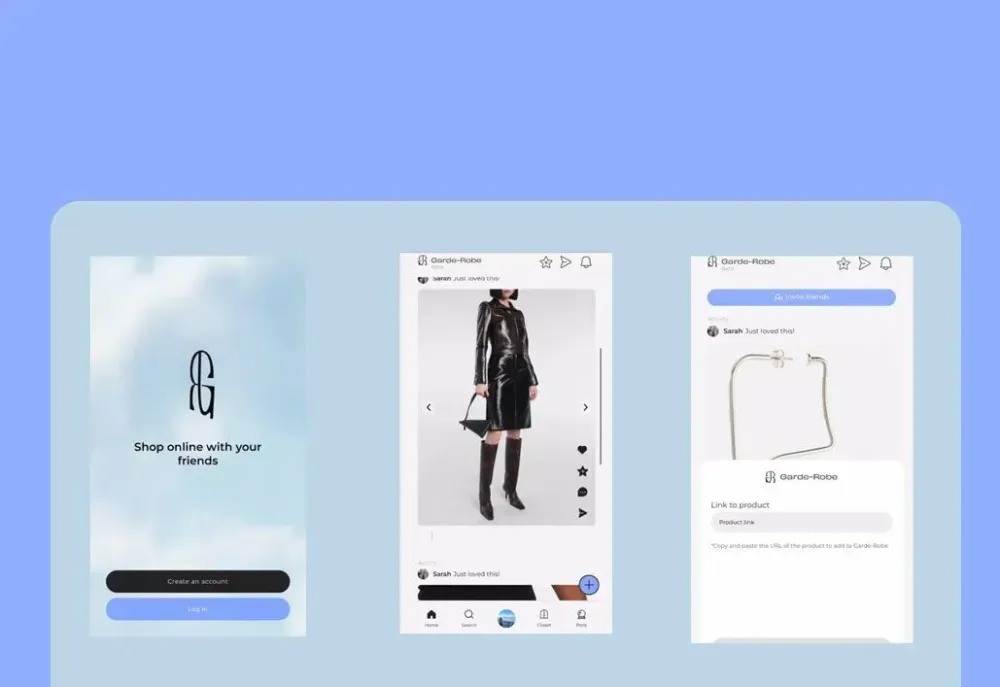
When Garde-Robe presented their innovative vision to make fashion more social and collaborative, Kreante, a leading LowCode agency, eagerly embraced the challenge.
Challenge
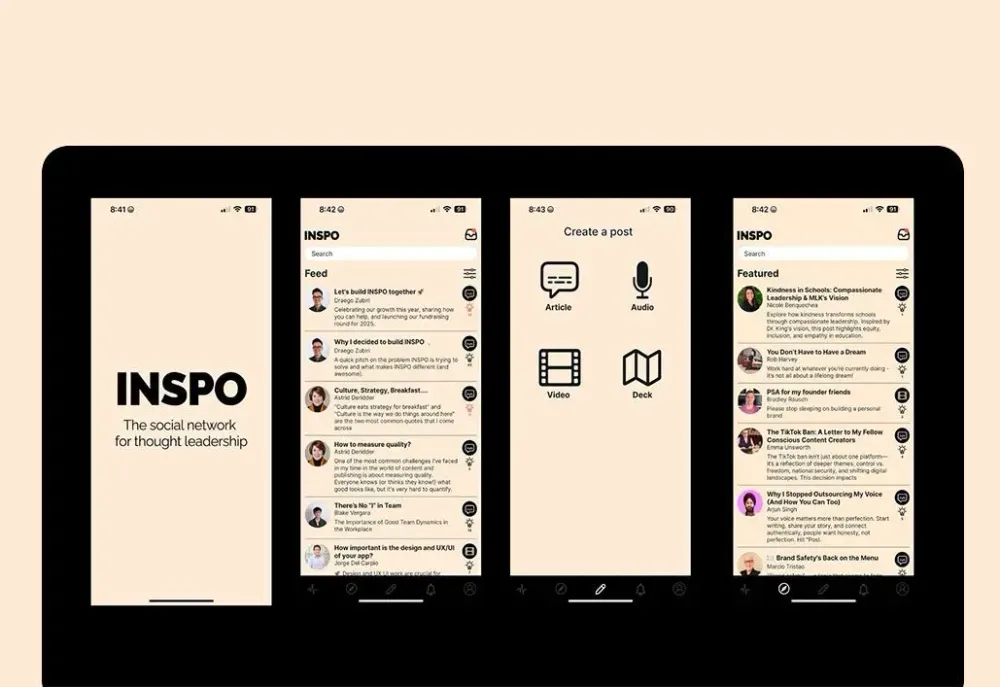
When INSPO approached our LowCode agency with their vision of creating the definitive platform for thought leadership, we knew this project would push the boundaries of what’s possible with…
Stack
In the rapidly evolving landscape of LowCode development, creating sophisticated applications no longer requires months of traditional coding.
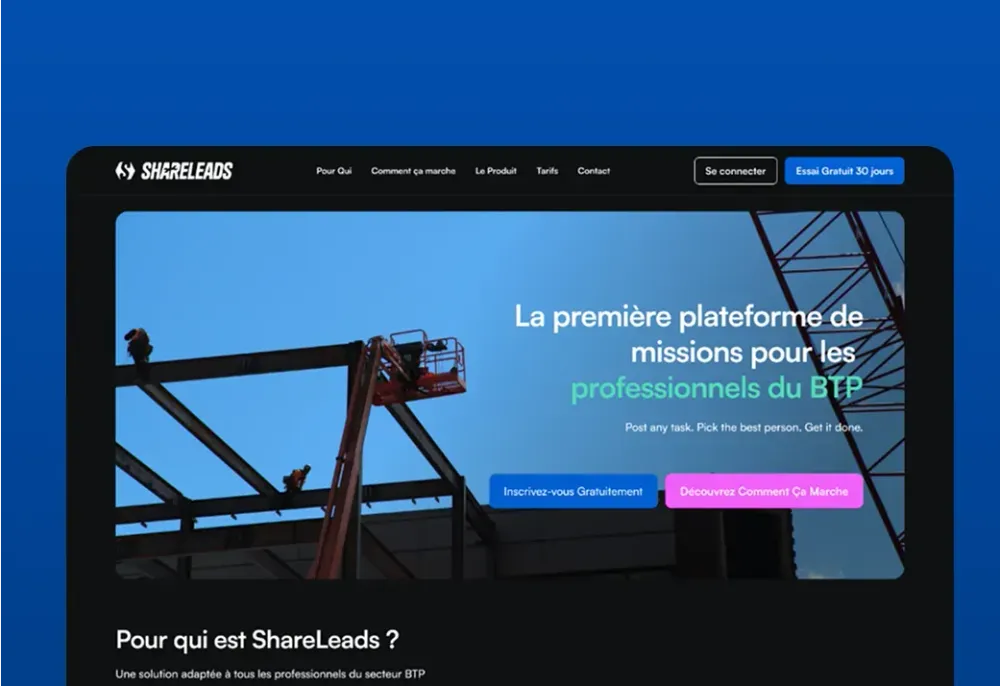
Challenge
Stack
Connect with verified construction professionals, find new projects, recruit subcontractors, and grow your business with ShareLeads' trusted B2B platform.
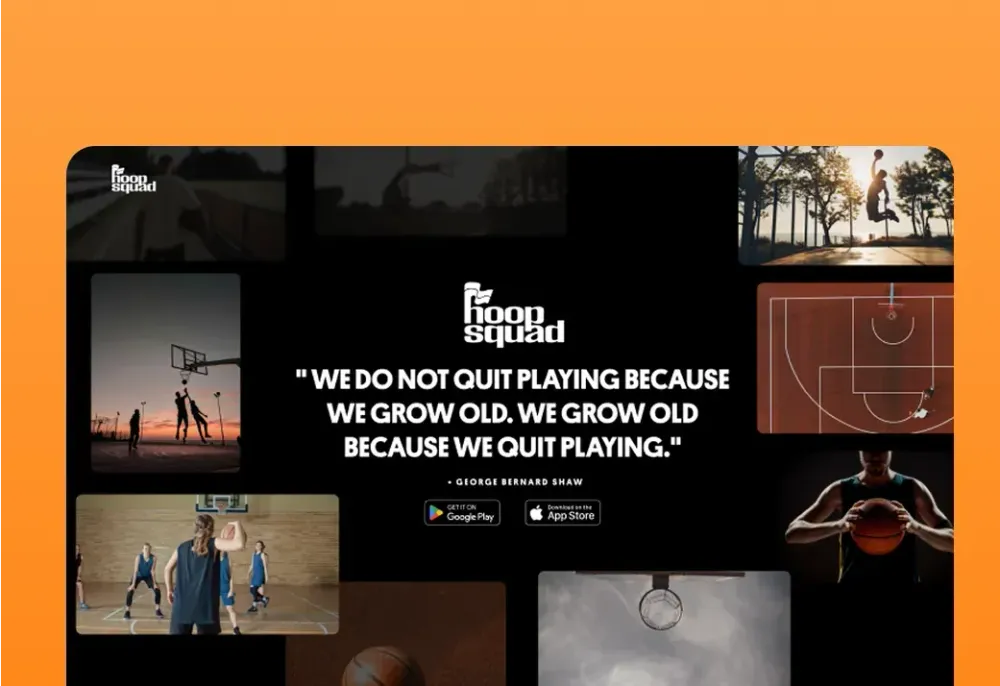
Challenge
The basketball community in Washington D.C. lived on courts and in scattered WhatsApp groups. What was missing: a place to give it visibility, bring more people together, find players at your…
Stack
What we built In 3 months, Kreante delivered all three platforms at once. The mobile app lets you find pickup games within a 10-mile radius, rate players to compete at the right level, track your progress, and meet up to watch games together. Two tiers: a free version and a premium subscription at $39.99/season — proof that the community is willing to pay to play better. For this kind of project, visual identity isn't just a detail — it's what creates the sense of belonging from the very first open. The entire branding was conceived and built by Kreante. The landing page was built to convert: a strong visual world, a clear message, one goal — trigger the download. The e-commerce store pushed the logic even further: unapologetic street style, rooted in DC culture, to rep your colors beyond the court. Launched at a Virginia tournament, HoopSquad is now live across 13 regions in the United States — on the App Store and Google Play.
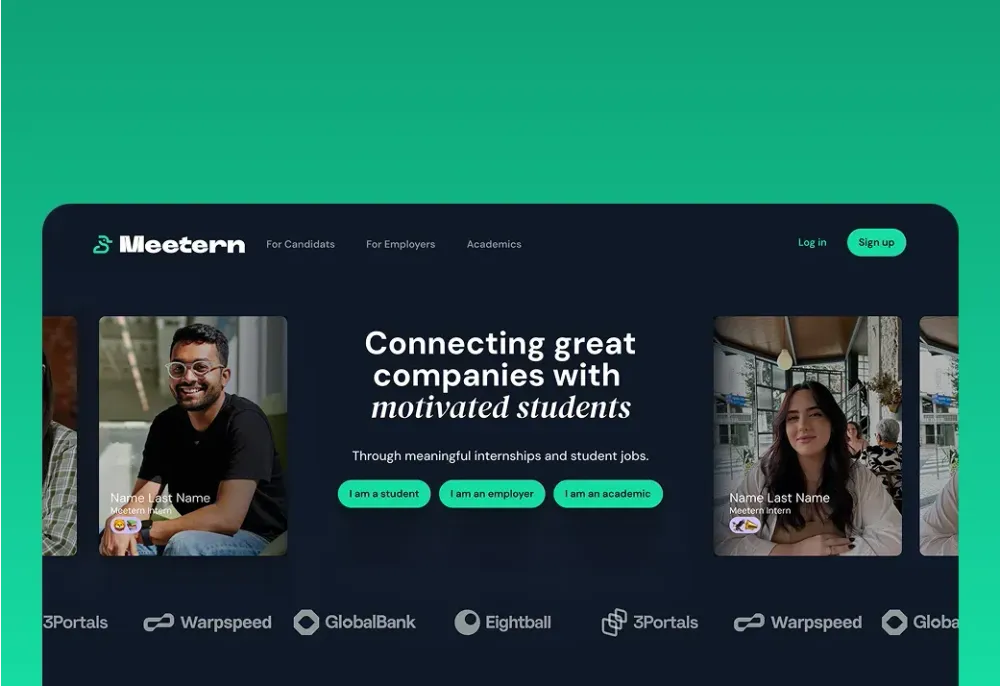
Challenge
The Meetern team had been connecting students and companies for years, through physical events. Many great encounters and opportunities later, they understood that to create real impact at scale,…
Stack
What we built Kreante designed and developed Meetern: a complete matchmaking platform, with three distinct interfaces for students, companies, and academic institutions. Students build their profile, apply, and track their applications. Companies post opportunities and receive intelligently matched profiles. Academic institutions monitor placements in real time. Across all three: integrated messaging and a matching algorithm that replaces manual introductions. The platform is multilingual, French and English at launch, Dutch on the way. A V1 delivered in 6 months, a V2 launched in March 2026 with extended language support. Today, 50 to 100 active users every day. And a team that no longer runs events, but a platform.
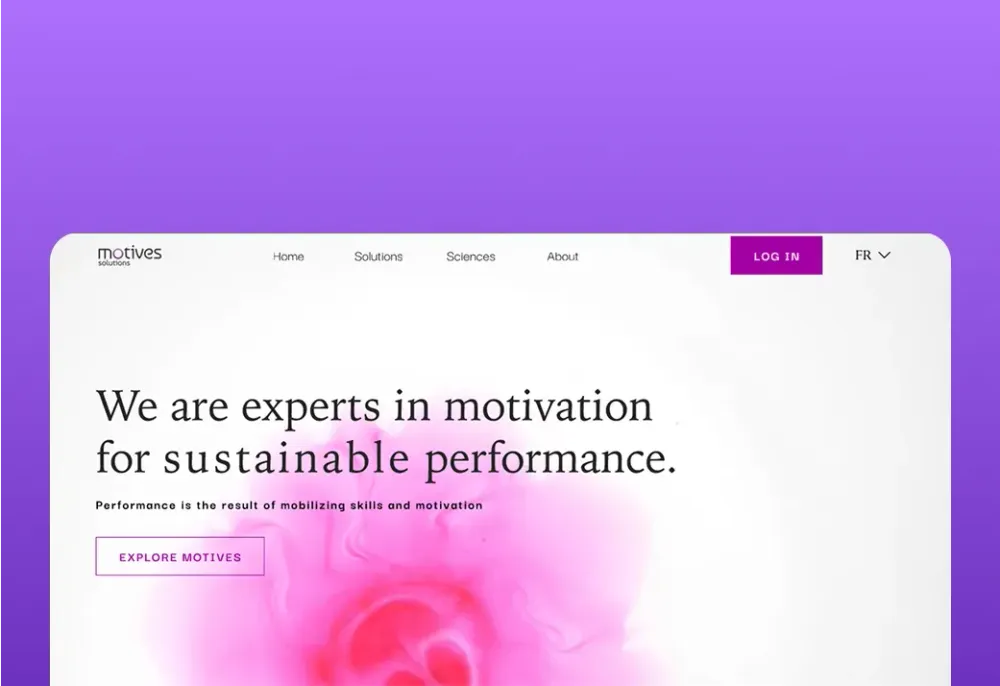
Challenge
Every manager knows a motivated team performs better. But motivation is invisible. And without understanding what truly motivates each person, engagement initiatives remain educated…
Stack
Kreante designed and developed Motives Solutions: a bilingual SaaS platform (FR/EN), from branding to application. Team members answer 3 anonymous questions. The app analyzes responses and generates a detailed report by motivational driver, for each individual, each team, each organization. Two modules: Motives TEAM for team-level insights, Motives ORGA for the full picture. Tracking is longitudinal: engagement evolution over time, visualized. Three questions. A clear picture of what truly moves a team forward. Measuring the invisible, so you can finally act on it.
Challenge
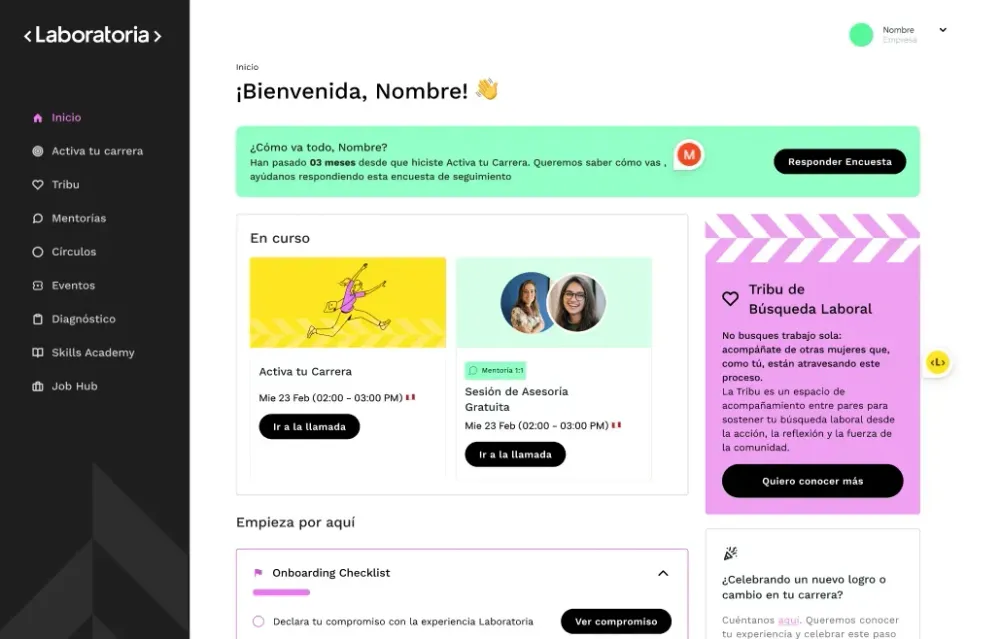
After a decade training thousands of women for tech jobs, Laboratoria saw its graduates stall on the way to leadership: in engineering and product, only 52 women are promoted to management for every…
Stack
Laboratoria+ is the membership platform of Laboratoria, the Latin American organization that has helped more than 14,000 women access quality jobs in tech. Built with Bubble, it brings together live courses and learning circles, 1:1 career mentoring with a network of senior women executives, online and in-person events, and a free plan alongside paid Pro and Plus subscriptions.
Challenge
Stack
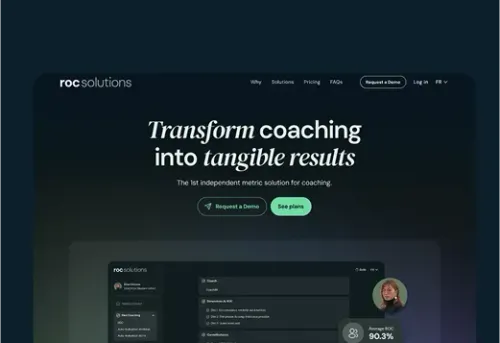
Transform your organization with ROC's secure hyperautomation platform. Orchestrate workflows, governance, and access management from a living organizational chart.
Challenge
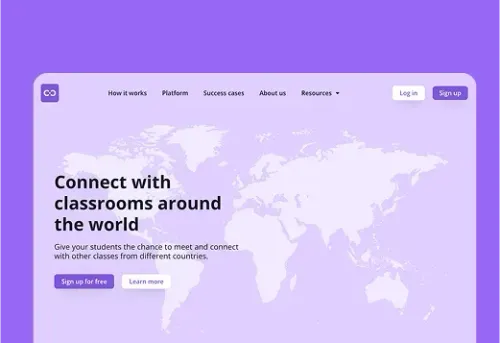
Class2Class wanted any teacher in the world to find a partner class and run a real project together, but international collaboration in schools depended on personal contacts, scattered tools and…
Stack
Class2Class is a global learning community, based in Denmark, where teachers connect their classrooms to run real-world projects around the UN Sustainable Development Goals. Kreante rebuilt the web platform with Bubble and Xano — teacher profiles, class matching, project creation and collaboration spaces — and delivered the rebranding and landing page. The community now counts more than 25,000 teachers in 190+ countries.
Challenge
In Switzerland as across the world, independent cab drivers face the same reality: ride-hailing platforms that set the rates, impose the rules, and own the client relationship. Olivier Fouvy wanted…
Stack
SmartCab is built on a radical premise: for the end customer, nothing changes. No new app to download, no account to create, no interface to learn. They send a WhatsApp message to their driver, just as they always have. Behind that message, an entire machine kicks into gear: an AI engine processes the request, calculates the route, confirms the booking, and triggers invoicing — automatically. Everything an app does. Without the app. They send a WhatsApp message. The rest happens without them. For drivers, it means freedom regained: customizable pricing, a client relationship that belongs to them, no algorithm to appease to stay visible. For fleet operators, a dispatch module handles ride assignments and real-time driver tracking. Three subscription tiers: Lite, Pro, Premium — built for every profile. What SmartCab proves is that real sophistication doesn't announce itself. It's felt — in a booking that requires zero effort, in a relationship of trust that no one gets to monetize. Available on iOS and Android.
Come with the questions your clients ask most often, or with the client area you find too limited. In 30 minutes, we will look together at what a portal could bring them, and what it would change for your teams. It is free, with no commitment.
It is a secure online space where each client logs in to follow their relationship with your company: current orders or projects, documents, invoices, requests and messages. It replaces a large share of email and phone exchanges, and lets the client find an answer at any hour, without waiting for a staff member to be available.
A simple portal your clients open every week is better than a complete portal they forget. The safest approach is to move forward in stages, adding a feature when clients ask for it.
| Stage | Features | Why at that point |
|---|---|---|
| From launch | Secure login, tracking of orders or projects, access to documents and invoices | These are the reasons your clients call you today |
| After a few weeks | Document uploads, quote approval, email or SMS notifications | Clients have got into the habit of coming, and can now act for themselves |
| Once usage is established | Online payment, e-signature, AI assistant | These features need more configuration, and benefit from being based on the questions actually asked |
For a prototype, yes. Generators can now produce a working first version from a simple description, which makes it possible to test an idea with a few clients.
For a portal in production, caution is required: access rights, login, payments and data protection must be checked by people who know where the flaws hide. That is the whole point of developing a custom business application with a team that reviews the code produced by AI.
At the same client, the director sees everything, the accountant accesses the invoices, and the technical manager follows the orders or projects. The portal handles these roles, as well as less simple situations: a contact who works for two client companies, or an employee who leaves the company and whose access must be cut off the same day. These cases are planned for from the start, before development.
Yes, in the vast majority of cases. ERP, CRM, invoicing software, project management or document storage tools: as soon as a piece of software offers an API or an automatic export, the portal can read its data and write to it. We know how to connect AI and your portals to your existing tools, including when files dropped off every night have to be used for lack of an API.
Yes, with certain precautions. For contracts, financial data or identity documents, the portal applies strict rules: encryption, access rights, a log of views and retention periods. Health data is subject to a specific regime: in France, it must be hosted by an HDS-certified host[4]. If your business is concerned, this requirement guides the choice of infrastructure from the start.
Yes. The portal adapts to all screen sizes, and many clients first view it on their phone, for example from the link in a notification. It can also be installed like an app, with an icon on the home screen, without going through the app stores.
The market includes ready-to-use portal software, portal features built into CRMs and support tools, AI generators and custom development.
| Solution | Who it is for | Strengths | Limits |
|---|---|---|---|
| Kreante | SMEs and mid-sized companies with 15 to 200 employees | Portal connected to your software, AI assistant, tested security, code handed over | Requires scoping and a few weeks of development |
| Ready-to-use client portal software | Very small businesses and SMEs with standard exchanges | Quick setup, monthly subscription | Not very adaptable, data often re-entered |
| Portal from a CRM or support tool | Companies already equipped with that tool | Data already there, knowledge base | Limited to that tool’s data |
| AI portal generator | Teams that want to test an idea | Prototype in a few hours | Security and maintenance to handle yourself |
| Digital experience platform | Large groups | Advanced personalisation, high volumes | Long and costly project |
This list is not exhaustive.

Written by Jorge del Carpio, CEO and co-founder of Kreante. Since it was founded in 2020, the agency has delivered 265+ projects in 35 countries.
Published Updated
From the blog
Guides, comparisons and field notes from the projects we deliver.
 Tools
Discover key AI security risks leaders must address now. Learn to protect data and models from prompt attacks and vulnerabilities.
 Development
Discover the true costs of AI integration in 2026, including key factors that affect pricing and strategies to minimize spending.
 Tools
Unlock efficiency with customer support automation. Reduce costs, enhance response times, and improve service quality with our practical guide.
 Development
Learn to create powerful backend solutions with Xano's AI integration. Discover setup processes, API connectors, workflow automation, and vector embeddings for intelligent apps.
 Insights & Tips
Discover practical strategies for handling challenging client conversations in NoCode projects. Learn about active listening, expectation management, and building lasting relationships.
 Tools
Pick Lovable to get a hosted, Supabase backed live app fast. Pick Claude Design when engineering teams need code first prototypes and tighter code control.